What Is Motion Design and How Does It Work?
What is motion design? Discover how it brings graphics to life, the core principles behind it, and the tools used to create engaging animated content.
Ever wonder what makes the apps on your phone feel so intuitive or how a simple logo can suddenly feel alive and energetic in a video? You're looking at the handiwork of motion design.
At its heart, motion design is the art of giving life to static graphic design using animation and visual effects. It’s the invisible thread that connects graphic design with filmmaking, turning still images into a dynamic experience.
What Is Motion Design All About?
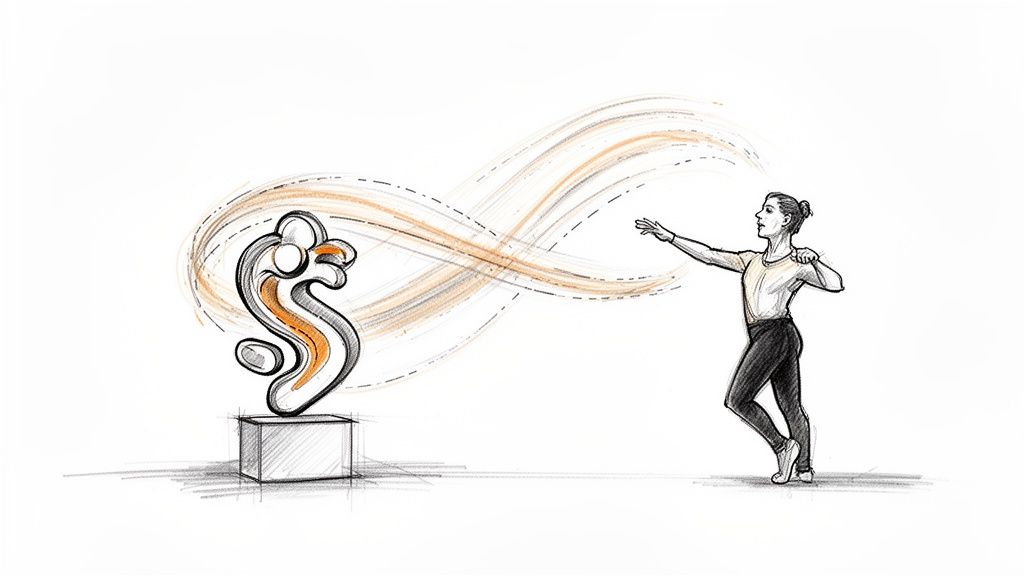
Think of it this way: if a graphic designer is a sculptor carving a beautiful, motionless logo, the motion designer is the one who teaches that logo how to dance. They use movement, timing, and rhythm to tell a story, spark an emotion, and direct your gaze. It’s not just about making things move; it’s about the why and how behind that movement.
You see motion design everywhere, every single day, often without even noticing. It’s in the satisfying swipe as you unlock your phone, the engaging social media ad that makes you stop scrolling, and the slick title sequence of your favorite show. It's the secret sauce that makes our digital world feel more responsive and compelling.
The Purpose Behind the Movement
The real goal of motion design is to make communication clearer and more effective. By adding movement, a designer can inject layers of meaning that a static image just can't deliver on its own.
This usually boils down to a few key objectives:
- Guiding Attention: Our eyes are naturally drawn to movement. Motion designers use this instinct to pull your focus exactly where it needs to be.
- Telling a Story: A well-planned sequence of movements can walk you through a process, explain a complex idea, or build an emotional arc in just a few seconds.
- Creating a Mood: The style of motion says a lot. A playful bounce feels fun and friendly, while an elegant, sweeping transition feels sophisticated and cinematic.
Motion design transforms passive viewing into an active experience. It's about using time and space to add personality and clarity to a message, making information easier to understand and more enjoyable to consume.
Ultimately, motion design is a powerful communication tool. It’s less about creating complex, character-driven cartoons and more about breathing life into text, shapes, and other graphic elements. To dive deeper, you can explore more about the principles of great animation in our article.
The Secret Sauce: What Makes Great Animation Work?
Great motion design never happens by accident. It's built on a handful of principles that animators have been perfecting for nearly a century. These aren’t rigid rules you have to follow, but more like a shared understanding of what makes movement on screen feel natural, alive, and professional. Once you know them, you'll start seeing them everywhere.
Think of these principles as the bridge between a static graphic and a dynamic story that actually connects with people. They're all about faking the physics and emotion of the real world to create something believable.
Timing and Spacing
Timing is everything. It controls the speed of an action, and in doing so, it gives an object personality. Is it moving fast? It feels energetic, maybe even frantic. Is it moving slowly? It might feel heavy, calm, or deliberate. You're essentially setting the emotional pace with timing alone.
Then there's spacing, which is all about how an object gets from point A to point B. If you move an object the exact same distance in every single frame, it looks completely robotic and lifeless. By changing the spacing between frames—making the gaps smaller at the start and end, and wider in the middle—you create the illusion of acceleration and deceleration. That's the key to making things feel real.
Easing: The Cure for Robotic Movement
This brings us right to easing. In the real world, objects don't just start and stop on a dime. A car has to build up speed, and it gradually slows to a halt. Easing is how motion designers mimic that natural momentum. Without it, every movement feels jarring and mechanical.
- Ease-In: Think of a rocket launch. It starts slow, gathering momentum, and then—whoosh!—it takes off. That gradual build-up of speed is an ease-in.
- Ease-Out: Now picture a bowling ball rolling down the lane. As it gets closer to the pins, friction and air resistance cause it to slow down. That’s an ease-out.
Honestly, mastering easing is probably the single biggest difference between an animation that looks amateur and one that feels polished and professional. It’s a simple concept—making digital objects obey the laws of physics—but it makes a world of difference.
Squash and Stretch
This principle is all about conveying weight, mass, and flexibility. The core idea is that an object's volume should always stay the same, but its shape can change to show the force of an impact or the energy of a movement. The classic example is a bouncing ball.
When the ball hits the ground, it squashes down to absorb the force of the impact. Then, as it launches back into the air, it stretches out, showing that stored energy being released. This little bit of exaggeration makes the whole sequence feel ten times more dynamic.
And it’s not just for bouncy balls. You can apply a subtle squash and stretch to almost anything—even a solid company logo—to give its movement a little more life. It's an incredibly powerful way to add character and emphasize the physics of what's happening on screen.
Exploring the Modern Motion Designer's Toolkit
Knowing the principles of motion design is one thing, but actually bringing your ideas to life? That takes the right creative arsenal. Modern motion designers rely on a potent mix of software to build, animate, and polish their work, transforming static concepts into living, breathing visual stories. The great news is that this toolkit is more accessible than ever, combining old-school industry standards with new, intelligent tools that make the whole process faster.
A typical project usually starts with the basic design elements, often whipped up in programs like Adobe Illustrator or Photoshop. Once the static assets are ready, the real motion work begins.
The Core Software Powerhouses
For years, Adobe After Effects has been the undisputed king of 2D motion graphics and visual effects. It’s the digital stage where you import your static logos, text, and illustrations and bring them to life using keyframes, easing, and all the other principles we've discussed. Every single element can be choreographed with precision over time.
When a project needs more depth and realism, that's when 3D software comes into play.
- Cinema 4D is a fan favorite, largely because it's pretty intuitive and plays nicely with After Effects. It’s perfect for building and animating 3D objects, creating realistic lighting, and adding textures that make a scene feel tangible.
- Blender is the powerful, free, and open-source contender that has taken the industry by storm. Its capabilities for 3D modeling, animation, and rendering are seriously impressive, making it a go-to for many professionals and hobbyists alike.
These tools aren't an either/or situation. Most professional work involves a seamless back-and-forth between 2D and 3D applications to get that perfect final look.
Streamlining the Workflow with Smart Tools
The modern toolkit isn't just about the big, complex software suites anymore. A new wave of specialized, AI-powered tools is changing the game by handling tedious tasks that used to burn hours of manual effort. This frees up designers to focus on what really matters: the creative vision.
Take compositing, for example—the art of blending live-action footage with animated graphics. The old-school way involved either shooting on a green screen or spending countless hours rotoscoping (painstakingly tracing a subject frame by frame) to cut them out from their background.
Today, tools like VideoBGRemover use AI to instantly remove a video's background, spitting out a clean cutout with a transparent alpha channel. This is a game-changer for professional motion design. It lets you seamlessly layer video of people or products on top of animated backgrounds, text, and other graphics.
This one capability unlocks a ton of creative freedom. You could place a product demo inside an animated phone mockup or have a real person walk through a completely digital environment, all without the headache of manual masking.
This infographic breaks down how those core animation principles—the very concepts these tools help you execute—are the foundation of believable movement.
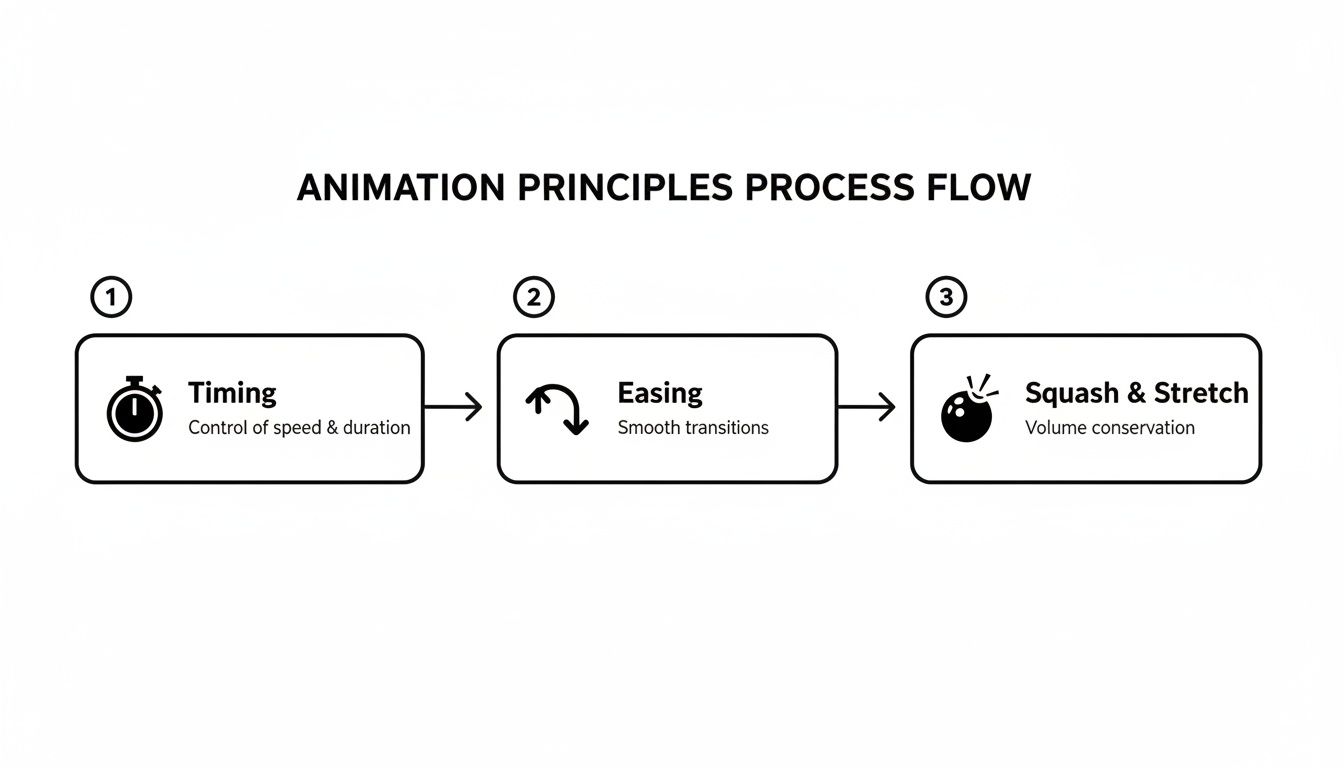
As you can see, timing sets the pace, easing creates natural acceleration and deceleration, and squash and stretch gives objects a sense of tangible weight and flexibility.
The rise of these specialized tools points to a much bigger industry trend. While the U.S. graphic design market is a massive $19.5 billion industry, the motion design software market is growing at a rate of 9.59% annually. That’s more than double the 4.6% growth of the broader graphic design services industry. The numbers don't lie: motion is no longer a "nice-to-have"—it's an essential skill. You can dig into more of this growing market on IBISWorld.
How Motion Design Shines in the Real World
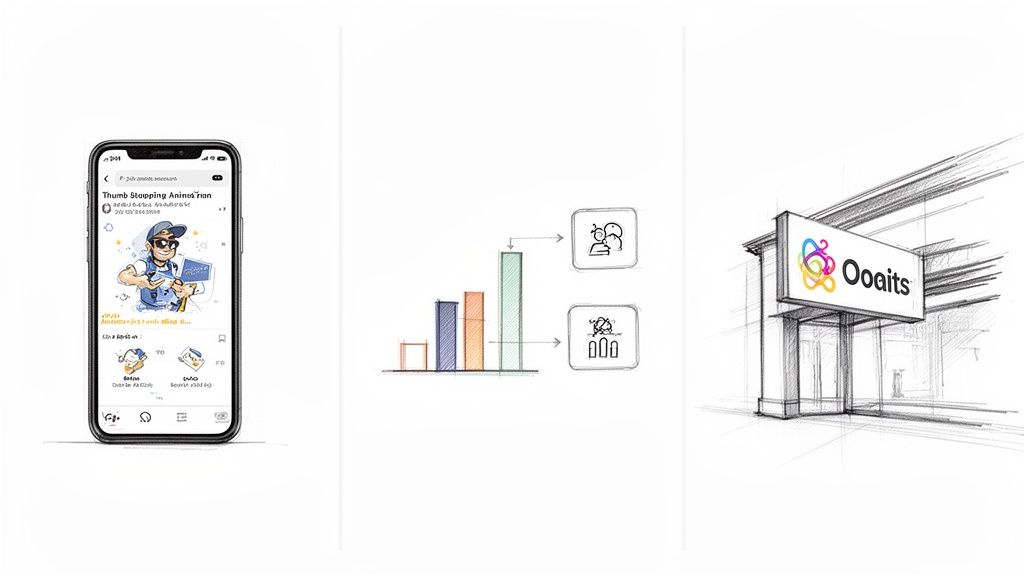
Knowing the theory behind motion design is great, but seeing it in action is when it really clicks. Motion isn't just window dressing; it's a practical tool that solves real communication problems across just about every industry you can think of. By breathing life into static elements, motion designers can transform passive information into an active, engaging experience.
Let’s walk through a few real-world scenarios where motion design makes all the difference.
From Static Ad to Thumb-Stopping Story
Picture a typical social media graphic a marketer might create for a new product launch. It has a slick photo, a catchy headline, and a call to action. It’s fine, but it’s also easy to scroll right past in a noisy feed.
Now, let's add a little motion. The product name could slide or fade into view, grabbing your attention instantly. Key features can then pop up one by one, each with a subtle bounce that gives it a sense of importance. Finally, the "Shop Now" button might pulse with a gentle glow, nudging you to click. Just like that, a flat ad becomes a mini-story that guides the eye and stops the scroll.
You can dive deeper into creating captivating motion graphics for social media in our detailed guide.
Motion design has evolved from a specialized creative discipline into a universal skillset that extends far beyond traditional studio work, fundamentally reshaping career opportunities across the global creative industry. This transformation reflects the broader shift in how businesses approach visual communication—from purely aesthetic considerations to functional, user-centered design solutions. You can find more insights about this industry shift at School of Motion.
From Dense Data to Clear Infographic
Think about an educator trying to explain a complex biological process or an analyst presenting dense financial data. A static chart packed with numbers and labels can feel like a brick wall, causing people to check out before they’ve even started.
This is where motion design works its magic. Instead of throwing everything at the viewer at once, an animated infographic can reveal the information piece by piece.
- Step 1: The first stage of the process animates onto the screen, letting the viewer focus on just that one idea.
- Step 2: Once that concept lands, the next piece of the puzzle smoothly transitions in.
- Step 3: Animated arrows and connecting lines can then draw visual relationships between points, explaining connections that would otherwise need a paragraph of text.
This progressive reveal makes complicated topics feel simple and far more memorable. It turns a wall of data into a story, which massively boosts comprehension and retention.
From Simple Logo to Memorable Brand Identity
Finally, let’s talk about a company's logo. A static logo on a website or business card is just an identifier. It's recognizable, sure, but it doesn't say much about the brand’s personality on its own.
A short logo animation, on the other hand, can tell a brand’s story in a couple of seconds. Does the logo assemble itself from sharp, fast-moving lines? You immediately get a sense of a tech-forward, efficient brand. Or maybe it ripples into place like a drop of water? That gives off a calm, natural, and organic vibe. This tiny touch of motion injects personality into the brand, making it exponentially more memorable every time you see it in a video intro or on a loading screen.
How AI Is Changing the Motion Design Workflow
Artificial intelligence isn't some far-off concept anymore; it's a real tool that's fundamentally changing how motion designers work every single day. The common fear is that AI will replace artists, but what we're actually seeing is something different. It’s acting more like a super-powered assistant, taking over the repetitive, time-sucking tasks that bog down the creative process. This shift is huge for solo creators and small businesses, letting them produce professional-level work without needing a Hollywood budget or a massive team.
The biggest win with AI is how it tackles the grunt work. Take rotoscoping, for example—that classic, painstaking process of manually tracing a subject frame by frame to cut them out from the background. An experienced artist could spend hours or even days on a short clip. AI-powered tools can now knock that out in minutes, giving designers that time back to focus on what really matters: the story, the timing, and the overall feel of the piece.
This isn't just a convenience; it has major business implications. The market for AI-generated video is expected to grow at an incredible 35% annual rate, on track to hit around $14.8 billion by 2030. A big reason for this boom is efficiency—AI can slash motion graphics production time by up to 40%. Suddenly, high-quality animated content is within reach for almost everyone. You can read more about AI's role in the future of motion graphics on Superagi.
Automating Tedious Tasks for Faster Turnaround
One of the most immediate, tangible benefits of AI in motion design is smart background removal. In the past, if you wanted to composite live-action footage with animated graphics, you were looking at a green screen shoot or long, tedious hours of manual masking.
With modern tools, you can just upload a video and let the AI automatically remove the background, giving you a clean video layer with transparency. This is a complete game-changer for creating dynamic overlays and complex visual compositions on a tight deadline.
This simple function opens up a ton of creative possibilities that used to be incredibly complex:
- Drop a person into a completely digital scene. Think of a speaker walking through an animated data visualization.
- Overlay product videos on top of eye-catching graphic backgrounds. This is perfect for creating social media ads that stop the scroll.
- Isolate subjects to apply specific color grades or special effects. You can now tweak the look of just the person without messing with the rest of the shot.
By knocking down these technical hurdles, AI gives designers more freedom to experiment and try out new ideas without worrying about the clock. To really get a handle on where this is all heading, it's worth understanding the broader concept of synthetic media.
Empowering Creativity and Accessibility
Beyond just automating the boring stuff, AI is also stepping into the role of a creative partner. Generative AI tools can whip up unique background textures, interesting animated patterns, or even rough storyboard concepts to get you started. It gives you a foundation to build on, which is a massive help when you're facing a blank canvas.
This shift is making motion design more accessible than ever. Creators who have brilliant ideas but maybe not the deep technical skills can now bring their visions to life.
Ultimately, AI isn't a threat to motion designers; it's a tool that amplifies their skills. By taking over the tedious parts of the job, it frees up artists to pour their energy into what humans do best—storytelling, creativity, and building an emotional connection with the audience. If you're ready to dive into this new wave of tools, exploring a guide on the top AI video editing tools is a great place to start.
Taking Your First Steps in Motion Design
Feeling that spark of inspiration? Ready to actually make things move? The good news is that the jump from knowing what motion design is to doing it is a lot smaller than you'd imagine. The trick is to start small, get a good grip on the basics, and build up your skills with projects you can actually finish.
Don't try to boil the ocean and learn everything at once. Just pick one core principle and own it. A perfect place to start is with easing. Seriously, just open up some animation software, create a simple square, and focus only on making it move from left to right. Your goal isn't to be fancy; it's to make that movement feel natural, with a smooth start and a gentle stop.
Your First Simple Project
Theory is one thing, but getting your hands dirty is where the magic really happens. Here’s a straightforward project that will walk you through a mini-professional workflow. It’s a simple mix of filming, a cool tool, and a bit of animation.
Here’s how to create your first piece:
- Film a Short Clip: Use your phone to record a simple object. A coffee mug on your desk, a plant against a plain background—anything works. Just keep the shot steady for 5-10 seconds.
- Isolate Your Object: This is where modern tech saves the day. Instead of spending hours masking, upload your clip to an AI tool that automatically removes the background. What you'll get back is a clean video of your object on a transparent layer, ready to go.
- Animate Around It: Bring that transparent video clip into your animation software. Now, have fun with it! Try animating text that slides out from behind the mug or a colorful line that traces the outline of the plant.
This single exercise teaches you the core of compositing—the art of layering different visual elements to create a single, cohesive scene. It’s a foundational skill in all professional motion design.
By taking a small project from the first step to the last, you're not just learning techniques. You're building confidence and getting a feel for the entire creative process, shifting from someone who just consumes content to someone who creates it.
Building Your Skills One Step at a Time
Once you’ve got that first project under your belt, the momentum is on your side. Getting good at motion design is all about consistent practice and staying curious. Keep pushing yourself with slightly bigger ideas and see what your tools can do.
Here are a few ideas to keep you going:
- Focus on Typography: Pick a favorite quote and bring it to life. Play with how the words appear and disappear, using timing and spacing to give them a real personality.
- Recreate Work You Admire: Find a simple logo animation or a short social media ad you love and try to rebuild it. This is one of the fastest ways to figure out how professionals achieve certain effects.
- Explore Tutorials: The amount of free education out there is incredible. Find a motion designer on YouTube whose style you like and follow along with one of their beginner projects.
Every little animation you finish is another step up the ladder. By breaking the learning process into these manageable pieces, you'll steadily build the skills you need to turn your own ideas into compelling motion.
Ready to create professional-looking videos with stunning animated overlays? VideoBGRemover makes it easy to remove your video background and get a transparent export in minutes, perfect for your first motion design project. Start for free and see how simple it is.
Tagged with
Ready to Remove Your Video Background?
See a free preview before you buy.
No credit card required • Free preview on every video