Webinar Software Comparison Choosing the Right Platform
Struggling to choose a platform? Our in-depth webinar software comparison breaks down features, pricing, and use cases to help you find the perfect fit.
Choosing the right webinar software isn't just about picking features from a list. It really comes down to a fundamental choice: do you need a powerful marketing engine or a versatile meeting tool? Marketing-focused platforms are built for lead generation, giving you deep analytics and automation. On the other hand, general meeting tools offer a familiar feel and are great for collaboration. Getting clear on this distinction is the first, most important step.
How to Choose the Right Webinar Software
Picking your webinar platform is a huge decision. It directly affects how you connect with your audience and, ultimately, your business results. The market is exploding for a reason—companies are fundamentally changing how they engage with people. The webinar software space was valued at a staggering $8.799 billion in 2024 and is expected to hit $32.72 billion by 2035. That's not just growth; it's a massive shift in how businesses approach everything from marketing to corporate training. For a deeper dive into these numbers, you can explore the full market analysis on marketresearchfuture.com.
To make the right call, you need to look past the flashy marketing claims. This guide is designed to cut through the noise and focus on what really moves the needle. We'll start with the core factors that separate the good from the great before jumping into a side-by-side comparison.
Core Decision Factors
The best platform is the one that fits your specific goals. Are you trying to generate leads, run an online course, or host a massive virtual conference? Your primary objective should be the lens through which you evaluate every option.
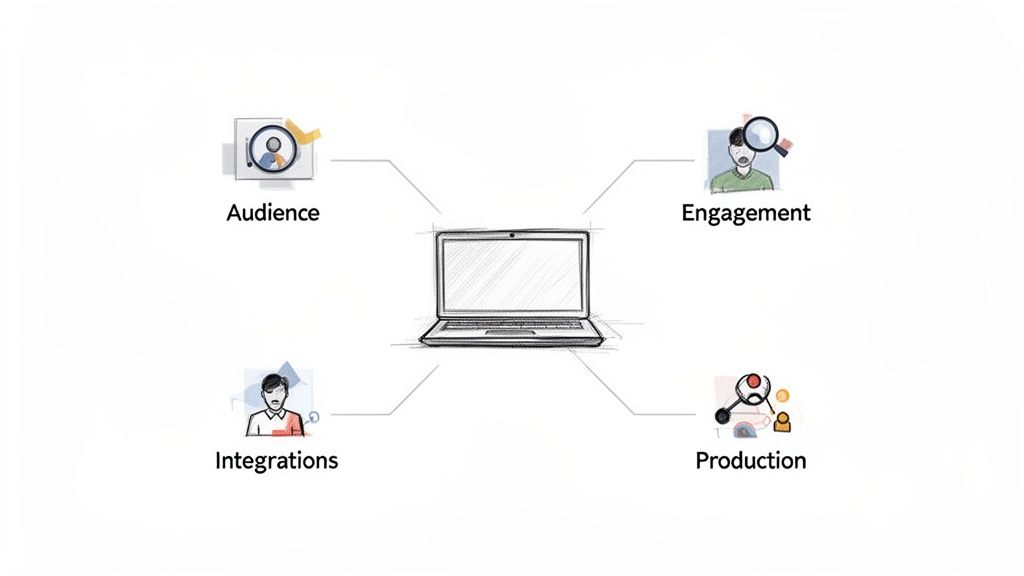
Keep these four pillars in mind:
- Audience Size and Scalability: Will the platform handle your peak attendance without glitching?
- Engagement Tools: How are you going to keep your audience from multitasking? Look for interactive features like live polls, Q&A, and moderated chat.
- Integration Capabilities: Does it play nicely with your current CRM and marketing stack? A smooth workflow is non-negotiable.
- Production Quality: What tools does it give you to create a professional, polished broadcast that reflects your brand?
A professional look and feel is just as important as the content you're delivering. A simple tool like VideoBGRemover can instantly elevate your presentation by creating a clean, branded background. It ensures the focus stays on you, no matter which platform you end up choosing.
Top Webinar Platforms at a Glance
Before we get into the nitty-gritty details, this quick-glance table will help you get your bearings. It's a high-level look at the top contenders and who they're built for, giving you a solid starting point for your research.
| Platform | Best For | Key Feature | Starting Price |
|---|---|---|---|
| Demio | Marketers Needing Simplicity | Intuitive, no-frills user experience | $45/month |
| Livestorm | Teams Running Frequent Events | Simple event creation and management | $105/month |
| GoTo Webinar | Large Enterprises & Training | Reliability and robust feature set | $49/month |
| Zoom Webinars | Massive Audiences & Panelists | Familiar interface and high scalability | $67/month |
This snapshot should help you narrow down the field. Now, let's dig deeper into what makes each of these platforms tick.
How We're Judging the Contenders: Key Evaluation Criteria
Picking the right webinar software is about more than just a flashy feature list. You need a platform that won't buckle under pressure and actually helps you hit your goals. To make sense of the options, we're breaking down our evaluation into four key areas.
Think of this as your framework for making a smart decision. We're looking past the marketing hype to focus on what really matters for running a successful virtual event, from managing your audience to making sense of the data afterward.
Attendee Capacity and Scalability
First things first: how many people can you reliably host? This is the most fundamental question. A platform that's a dream for a 50-person team training can turn into a nightmare during a 1,000-person product launch.
You need to think about both today's audience and tomorrow's ambitions. Does the platform offer flexible plans? Can you easily upgrade for a single massive event without getting locked into a pricey annual contract you don't need? Reliability is non-negotiable here—a laggy stream or a total crash is a terrible look for your brand.
Engagement and Interaction Tools
Let's be honest, no one wants to sit through a one-way lecture. A great webinar is a two-way street, and that's where interactive tools come in. Keeping your audience hooked is what makes your message stick, whether you're trying to generate new leads or teach a complex topic.
When we look at engagement, we're asking specific questions:
- Live Polls & Surveys: How quickly can you launch a poll on the fly? Can you share the results live to spark a discussion?
- Moderated Q&A: Is there a clean system for attendees to ask questions? Can they upvote questions they want answered, and can your team respond privately?
- Chat Functionality: Can your panelists chat privately? Are there good moderation tools to keep the public chat on track?
A smooth, intuitive experience is everything. If attendees have to fight with the technology just to participate, you've already lost them. The best platforms make joining the conversation feel completely natural.
Streaming and Recording Quality
Your webinar's audio and video quality is a direct reflection of your professionalism. A sharp, high-definition stream builds trust, while a grainy video with crackling audio can completely sabotage your credibility. We're looking at both the live experience and the quality of the recordings you get afterward.
HD streaming is pretty much the standard now, but what about the recordings? Does the platform let you record locally to avoid any internet-related quality drops? Can you download clean, high-resolution MP4 files that are ready for editing? The audio is just as critical. For some extra tips on that, check out our guide on how to remove background noise from video to make sure your final recording sounds polished.
The Integration Ecosystem
Your webinar platform shouldn't be an island. To get the most out of it, it needs to play nice with the other tools you already use every day. Strong integrations are what turn a simple presentation tool into a core part of your business machine, saving you from hours of manual data entry.
We always check for native integrations with major CRMs like Salesforce or HubSpot and email marketing platforms like Mailchimp. When registrant data flows automatically into these systems, you can trigger follow-up campaigns instantly and actually measure the ROI of your events. It’s these connections that make webinars a truly scalable strategy.
A Head-to-Head Webinar Software Comparison
Alright, with a solid framework in place, it's time to put the top contenders to the test. This head-to-head comparison goes beyond just rattling off feature lists. We're going to dig into how each of these platforms actually performs in the real world. I’ll be looking at four of the biggest names—Zoom Webinars, GoTo Webinar, Livestorm, and Demio—through the lens of the core criteria we just established.
Each platform really has its own personality, built for a specific kind of user. My goal here is to pull back the curtain on those nuances. That way, you can see which one truly clicks with what you’re trying to achieve, whether that's driving sales, educating an audience, or running a massive corporate event.
This flowchart is a great visual reminder of the three pillars we're using for this evaluation: attendee capacity, engagement features, and the integration ecosystem.
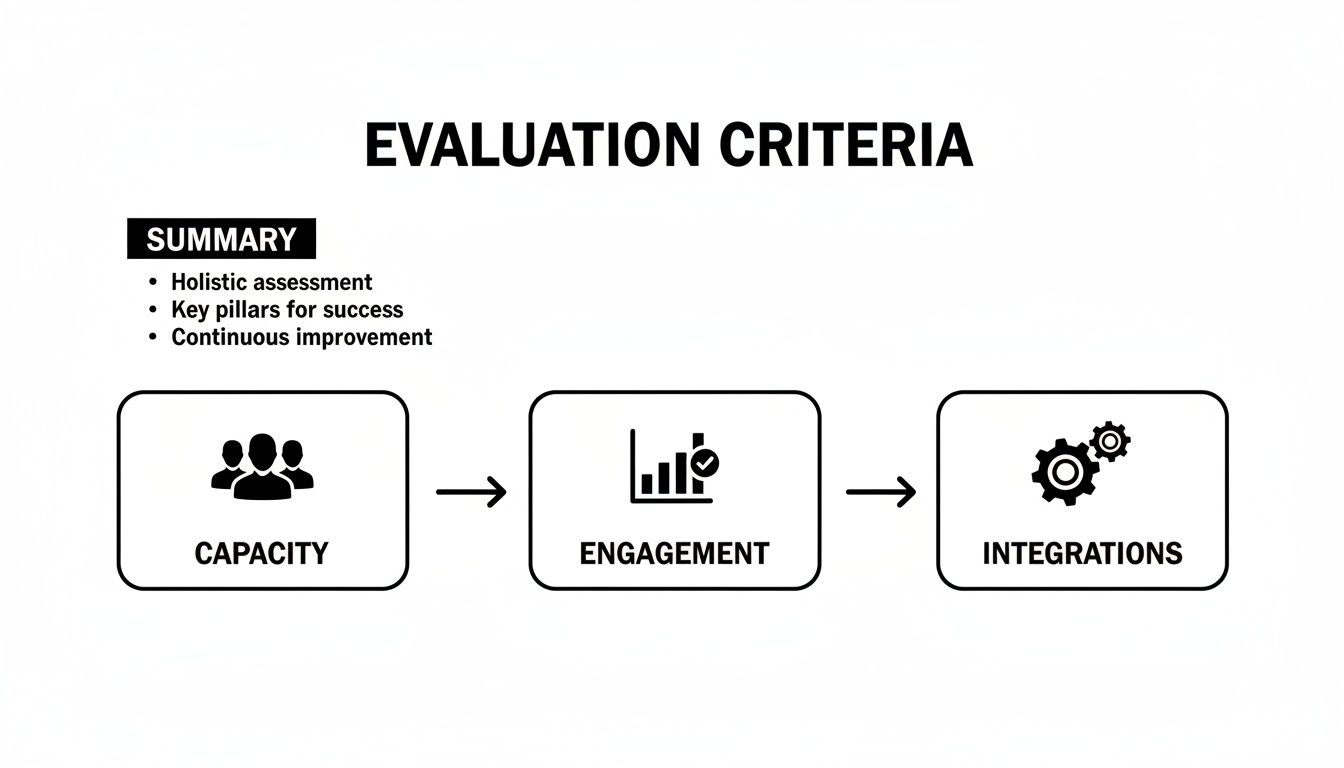
Keeping these three elements in balance is the secret to picking a platform that not only works on event day but also plugs right into your entire business operation without a fuss.
Zoom Webinars: The Undisputed King of Scale
Zoom really needs no introduction. Its move from a simple meeting tool to a webinar powerhouse felt completely natural, built on a bedrock of reliability and an interface that practically everyone already knows how to use. When your number one worry is fitting a massive audience into a virtual room without things breaking, Zoom Webinars is the go-to.
The platform is an absolute beast at scale, supporting up to 50,000 attendees and allowing for up to 1,000 interactive video panelists. This makes it a no-brainer for huge virtual conferences, company all-hands meetings, and major industry events where stability is non-negotiable. The familiar interface is a huge plus, slashing the learning curve for presenters and attendees alike and just making the whole experience smoother.
But its greatest strength can also be a slight weakness. The experience can feel less like a polished marketing event and more like a very large, controlled meeting. While it has the essential engagement tools like Q&A, polling, and chat, they don't feel quite as slick or integrated as what you’d find on platforms built from the ground up for marketing. For a more detailed breakdown, you might find a direct comparison of Google Meet and Zoom useful.
The Bottom Line: Zoom's real power lies in its incredible scalability and rock-solid performance for huge crowds. If success for you is measured in filling seats without a single technical glitch, this is your safest bet.
GoTo Webinar: The Enterprise-Grade Workhorse
As one of the OGs in the webinar world, GoTo Webinar's long history is reflected in its robust, feature-packed platform. It has been a mainstay in corporate and enterprise settings for years, valued for its security, dependability, and seriously powerful reporting.
This is the platform that shines in structured environments—think corporate training, continuing education credits, and formal business presentations. It handles pre-recorded events, gives you source tracking to see exactly where your sign-ups came from, and delivers detailed post-webinar analytics that offer deep insights into how your audience engaged. The host has an exceptional level of control, which is perfect for managing complex events with a whole roster of speakers.
If there’s a knock against GoTo Webinar, it’s that the user interface can feel a bit dated. It’s completely functional, but it doesn't have the modern, breezy feel of some of the newer players. This can sometimes lead to a slightly clunkier experience for attendees, but for its core audience, that’s a small price to pay for its sheer reliability.
The Bottom Line: GoTo Webinar is all about control and data. Its advanced analytics, source tracking, and certification features make it the clear choice for organizations that need to prove ROI and manage professional training programs with absolute precision.
Livestorm: The All-in-One Engagement Platform
Livestorm bills itself as more than just a webinar tool—it’s an end-to-end video engagement platform. It was designed for teams that run events frequently and need a dead-simple, browser-based solution that doesn't force attendees to download a thing. That frictionless experience is a huge selling point.
The platform’s strength is in its elegant simplicity and versatility. You can spin up live events, on-demand webinars, or fully automated sessions in no time. The interface is clean and modern, and it plays nicely with tools like HubSpot, Salesforce, and Pipedrive, making it a fantastic choice for marketing and sales teams. Livestorm also bakes in powerful email automation to handle all your reminders and follow-ups.
What’s really interesting about Livestorm is that everything—from the registration pages to the analytics—is built in-house. This makes for a wonderfully cohesive experience, though it might mean you get fewer deep customizations compared to platforms that rely on a huge marketplace of third-party apps. Keep an eye on its pricing model, which is based on active contacts and can get pricey as your audience scales.
The Bottom Line: Livestorm's killer feature is its browser-based, all-in-one design. It eliminates hurdles for attendees and gives marketers a single, unified toolkit to manage the whole event lifecycle, from sign-up to follow-up.
Demio: Built for Marketers, by Marketers
Demio is laser-focused on one thing: getting marketers results. Every single feature feels like it was designed with lead generation and conversion in mind, turning the platform into a powerful engine for sales-driven webinars. The user experience is beautifully simple and intuitive, which means less time fiddling with settings and more time focusing on your content.
Just like Livestorm, Demio is 100% browser-based, so attendees can join with a single click. But where it really pulls away from the pack is with its marketing-centric engagement tools. You can run interactive polls, share downloadable resources, and launch calls-to-action (CTAs) that send attendees straight to a sales page or booking calendar. They also offer "Hybrid" events—a smart combo of a pre-recorded video with live chat and Q&A—giving you the polish of a perfect presentation with the energy of a live session.
The trade-off for this slick, marketing-first approach is that it’s not designed for massive, stadium-sized events or internal training. It's built for interaction and conversion in smaller, more intimate settings. And that focus pays off. An overwhelming 73% of B2B marketers say webinars produce the best-quality leads, with 91% calling them a successful tactic. Demio is engineered to squeeze every last drop of potential out of that reality.
The Bottom Line: Demio is a conversion machine, plain and simple. Its clean interface and marketing-first features like custom CTAs and Hybrid events are built to turn viewers into leads and customers, making it the top pick for revenue-focused teams.
Comparison at a Glance
To make this even clearer, here’s a table that lays out the key differences between the platforms we've covered. It’s a quick summary of how each tool stacks up where it matters most.
| Feature Category | Zoom Webinars | GoTo Webinar | Livestorm | Demio |
|---|---|---|---|---|
| Best For | Large-scale virtual events | Corporate training & enterprise | All-around marketing & sales | Marketing & lead generation |
| Max Attendees | Up to 50,000 | Up to 5,000 | Up to 3,000 | Up to 1,000 |
| Platform Type | App & browser | App & browser | Fully browser-based | Fully browser-based |
| Key Strength | Extreme scalability & reliability | Robust analytics & security | All-in-one, no-download UX | Conversion-focused tools |
| Integration Focus | Broad ecosystem | Enterprise & CRM | Native marketing automation | Marketing & CRM |
| Recording Quality | Local & cloud HD recording | High-quality cloud recording | HD cloud recording | HD cloud recording |
Ultimately, the best webinar software depends entirely on your main goal. For sheer size, Zoom is in a league of its own. For data-driven corporate events, GoTo Webinar offers unmatched control. For a smooth, all-in-one experience, Livestorm is a winner. And for pure marketing muscle, Demio is tough to beat.
Choosing the Right Tool for the Job
A long list of features is one thing, but it doesn't really help you pick the right webinar platform. The best software isn't the one with the most bells and whistles; it’s the one with the right ones for what you need to accomplish. Your role and your specific goals are the best filter for cutting through the noise.
To help you out, I’ve broken down my top recommendations for three very different professional roles. By looking at how a platform’s strengths line up with a specific person's needs, we can get beyond a simple side-by-side comparison and find a tool that actually fits your workflow. This way, you're investing in something that helps you succeed, not something that just creates more work.
For the B2B Marketer Focused on Leads and Conversions
If you're a B2B marketer, a webinar is a lead-generation machine. Success isn't just about how many people show up; it’s about how many qualified leads you generate and how much pipeline you influence. You need a platform where every single feature is geared toward turning your audience into customers.
A marketer's ideal platform must have:
- Effortless CRM Integration: Automatically sending attendee data to systems like HubSpot or Salesforce is a must-have, not a nice-to-have.
- Actionable Engagement Tools: You need the ability to pop up compelling, clickable calls-to-action (CTAs) right in the middle of the webinar to drive people to the next step.
- A Zero-Friction Experience: Making prospects download software is a major roadblock. A browser-based platform gets more people in the door, period.
My Pick: Demio
For marketers, Demio is the clear winner. Its entire design is built for conversion. The ability to launch custom, timed CTAs that send attendees straight to a sales page or a booking calendar is incredibly powerful. It also has deep integrations with marketing automation tools and a "Hybrid" event format that lets you blend polished, pre-recorded segments with live Q&A, making it a finely tuned engine for generating high-quality leads.
For the Online Course Creator and Educator
As an educator or course creator, your focus is on delivering great content, interacting with students, and creating evergreen assets. The live event is key, but the quality of the recording is just as important—it often becomes a core part of a paid course or a long-term resource. You need more than a presentation tool; you need a virtual classroom.
Here's what educators should look for:
- Pristine Recording and Downloads: Capturing crisp, high-definition video and audio is non-negotiable for creating professional on-demand content.
- Interactive Teaching Tools: You need solid Q&A management, polling, and chat to keep learners tuned in and participating.
- Rock-Solid Reliability: A stable platform with a simple interface for both you and your attendees means everyone can focus on the lesson, not the technology.
My Pick: Livestorm
Livestorm really shines here. It's a great mix of simplicity, powerful recording features, and all-in-one functionality. Being browser-based makes it accessible to every student, and its automated email sequences take care of communication for you. The clean interface and reliable HD recording ensure your final video is a polished asset you can drop right into any course library. This smooth, end-to-end experience is perfect for educational settings. If you're refining those recordings, our video editing software comparison provides a similar level of detail.
For the Enterprise User Needing Security and Scale
In a large organization, webinar software has to clear a high bar for security, scale, and admin control. These events could be anything from sensitive internal briefings to massive corporate trainings or high-stakes, all-hands meetings. You simply can't afford technical glitches when you have thousands of people watching.
The must-haves for enterprise users include:
- Massive Scalability: You need the capacity to reliably host thousands—or even tens of thousands—of attendees.
- Ironclad Security Protocols: Features like Single Sign-On (SSO) and detailed access controls are mandatory to keep corporate data safe.
- In-Depth Analytics: You need granular data on attendance and engagement for both compliance and internal reporting.
My Pick: Zoom Webinars
When it comes to enterprise-scale events, Zoom Webinars is in a league of its own. It can support up to 50,000 attendees and 1,000 interactive panelists, a scale that others just can't match. It's built on a foundation of proven stability, which gives you the peace of mind you need for huge corporate broadcasts. Plus, its familiar interface means less of a learning curve for employees, and its enterprise-grade security features will satisfy any corporate IT department. It’s the safest and most scalable choice out there.
Elevating Webinars with Professional Video Backgrounds
Picking the right platform from a detailed webinar software comparison is a massive first step, but it's really only half the battle for engagement. Even the most powerful software can't save a presentation that looks distracting or unprofessional. Your on-screen presence is a direct reflection of your brand, and a messy home office or a glitchy virtual background can weaken your message before you even say a word.
This is where a little post-production and prep work can make all the difference, especially for on-demand replays and pre-recorded bits. A clean video turns your content into a powerful, long-term asset. Think about it: research shows that almost half of a webinar's total views come from the on-demand replay. That means the recording's quality is just as crucial as the live event itself.
Crafting a Studio-Quality Look for Your Recordings
The good news is you don't need a physical green screen or a bunch of expensive gear to get that polished, studio look. A tool like VideoBGRemover lets you turn any recording into a truly professional presentation. The whole point is to make sure the speaker—and their message—is the star of the show.
The process is refreshingly simple:
- Record Your Segment: Just film your presentation or demo wherever you are. Focus on good lighting and clear audio, but don't sweat the background.
- Upload Your Video: Drag your MP4, MOV, or WebM file right into the tool.
- Remove the Background: The AI gets to work, automatically cutting you out from the background with surprising accuracy.
- Add a Professional Backdrop: Drop in a branded image, a simple color, or even a picture of a sleek, modern office.
This simple workflow gives you total command over your visual brand. It ensures every video you produce has a consistent, high-quality feel, no matter where it was originally shot.
Just look at the difference it makes in this before-and-after example.
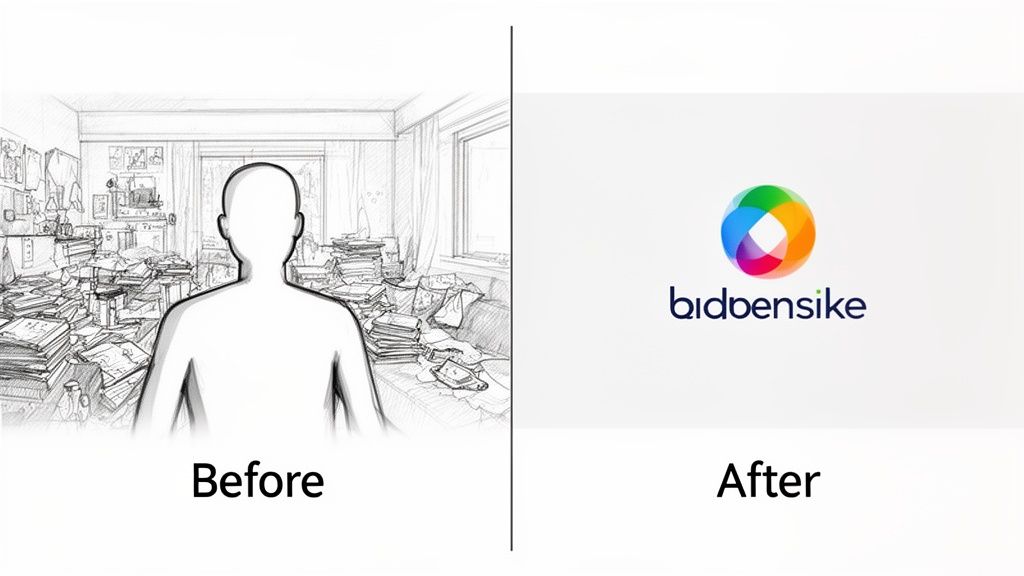
The change is instant. A busy, distracting environment is replaced with a clean, branded backdrop that screams professionalism and keeps your audience focused on what you're saying.
Integrating Pre-Recorded Segments into Live Webinars
This technique becomes incredibly useful when you want to weave high-quality, pre-recorded videos into a live event. It's a classic move used by experienced presenters to guarantee a perfect delivery for the most important parts of a webinar.
For instance, you could pre-record a tricky product demo or a detailed tutorial. By cleaning up the background and adding your company's branding, you create a seamless, premium segment to play during the live broadcast. This completely removes the risk of a live demo going wrong and ensures your product is always shown in its best light.
"By preparing key segments in advance, you elevate the entire production value of your live webinar. It ensures a consistent, professional experience that builds trust and keeps attendees engaged from start to finish, combining the polish of a recorded video with the interactivity of a live session."
This strategy works for any kind of webinar. In fact, our guide on how to add a background to Zoom has more tips you can easily adapt for preparing your recorded files. The end goal is always the same: produce a final video—whether for a live event or an on-demand replay—that looks polished, professional, and completely intentional. That kind of attention to detail makes your content far more compelling and authoritative.
Frequently Asked Questions About Webinar Software
Even with a detailed comparison laid out, you probably still have a few questions rolling around in your head. Picking the right platform often comes down to the little details that can make or break your workflow. Let's tackle some of the most common questions we get from creators, marketers, and businesses just like you.
We’ll dig into the real difference between meeting and webinar tools, talk about how you can practically use background removers, and explore why integrations are more than just a nice-to-have feature. My goal is to clear up any final confusion so you can make your choice with total confidence.
What Is the Biggest Difference Between Webinar Software and Meeting Tools?
It really boils down to control and scale. Webinar software is built for a one-to-many broadcast. Think of it like a lecture hall—the host is on stage, controlling the microphone and deciding when the audience can interact. This keeps the focus squarely on the presenter without random interruptions.
Meeting tools, on the other hand, are designed for collaboration. They're more like a roundtable discussion where everyone has an equal opportunity to speak and share their screen. Webinars are also engineered to handle much larger crowds and come packed with features for registration, branding, and analytics that you just don't get with a typical meeting tool.
Can I Use a Background Remover for Live Webinars?
This is a great question. While a tool like VideoBGRemover is built for editing recorded video, it's an absolute game-changer for elevating your live events. The trick is to use it for pre-recorded segments that you slot into your live presentation. Think polished speaker introductions, slick product demos, or powerful video testimonials.
Some webinar platforms offer built-in, real-time background removal, but honestly, it can be a huge drain on your computer's resources and often looks a bit glitchy. For a truly professional, studio-quality look without a green screen, the best approach is to pre-produce your key video clips using a dedicated tool. It guarantees a flawless result every time.
How Important Are Integrations for Webinar Software?
For anyone in marketing or sales, integrations are everything. They are the key to turning your webinar from a one-time event into a repeatable, automated part of your business. When your webinar platform talks directly to your CRM (like HubSpot or Salesforce), all your lead and attendee data gets transferred automatically. This saves hours of mind-numbing data entry and prevents costly mistakes.
This automation is what turns a one-off event into a scalable lead-generation engine. It allows for immediate follow-up sequences and provides clear data on how your webinars contribute to business goals, making it easier to prove ROI.
The same goes for connecting to your email marketing platform. It lets you set up automated reminder and follow-up campaigns without lifting a finger. Before you commit to any software, double-check that it plays nicely with the core tools you already use every day.
Ready to create studio-quality webinar recordings and pre-recorded segments? With VideoBGRemover, you can remove any background and add a professional touch in minutes, no green screen needed. Try it for free and see the difference at videobgremover.com.
Tagged with
Ready to Remove Your Video Background?
See a free preview before you buy.
No credit card required • Free preview on every video