A Creator's Guide to AI Video Background Removal
Discover how AI video background removal is changing content creation. Learn the technology, see real-world uses, and get tips for perfect cutouts.
Picture this: you've just filmed a great video, but your background is a total mess. A cluttered office, a distracting living room—you name it. With a single click, you can swap that entire scene for a sleek, professional studio. That's the magic of AI video background removal, a technology that’s completely changing the game for video creators everywhere.
The End of the Green Screen Era
For as long as most of us can remember, clean video backgrounds meant one thing: a green screen. This process was a hassle, requiring specific lighting, enough space to set everything up, and a ton of post-production work to meticulously "key out" that vibrant green color. Before AI came along, getting a clean cutout often involved using traditional photography backdrops and stands.
Even then, if your lighting wasn't perfect or a shadow fell in the wrong place, you were in for hours of rotoscoping—the painstaking, frame-by-frame process of manually tracing your subject. It was slow, expensive, and a huge barrier for anyone without a dedicated studio or a big budget.
A More Accessible Alternative
AI-powered tools completely flip the script. Instead of looking for a specific color to remove, these smart algorithms analyze the video to tell the difference between the foreground subject (you) and everything else. It’s like having a digital assistant who can instantly and precisely cut you out of your surroundings.
This is a massive leap forward. It opens up high-quality video production to anyone with a smartphone or a webcam, allowing them to create content that looks polished and professional. The demand is soaring, too. The video background replacement AI market is on track to hit $1.77 billion, a significant jump from $1.46 billion, marking an impressive annual growth of 21.8%. You can see additional details on this research to get a sense of how quickly this space is expanding.
From Hours of Tedium to Seconds of Magic
The most obvious win here is the incredible time savings. A task that once took a skilled editor hours of meticulous work can now be done in just a few minutes, if not seconds. This frees you up to focus on what actually matters: your story, your message, and your creativity.
This isn't just about removing a background; it's about removing the creative and financial barriers that have long stood between an idea and its execution.
Whether you're making a quick ad, recording a tutorial, or producing a client testimonial, the impact is huge. You can instantly place yourself in any setting imaginable, maintain consistent branding with custom backdrops, or simply get rid of a distracting background. To see this in action, check out our guide on how to change a video background without a green screen.
To really understand the shift, it helps to see these methods side-by-side.
AI Background Removal vs Traditional Methods
Here’s a quick comparison of how AI-powered solutions stack up against the old-school methods of green screening and manual rotoscoping. The differences in speed, cost, and overall flexibility are pretty stark.
| Feature | AI Background Removal | Green Screen | Manual Rotoscoping |
|---|---|---|---|
| Speed | Seconds to minutes | Hours (including setup) | Days to weeks |
| Cost | Low (often subscription-based) | Moderate to High (equipment) | Very High (skilled labor) |
| Skill Required | None | Intermediate | Expert |
| Flexibility | Works on any video, anywhere | Requires a controlled studio setup | Works anywhere, but is tedious |
| Equipment | Just a camera | Screen, lights, stands, software | Editing software |
As you can see, AI dramatically lowers the barrier to entry, making professional results accessible without the traditional headaches and high costs. It's a clear evolution from the rigid, resource-intensive methods of the past.
How an AI Learns to "See" Your Background
So, how does this AI magic actually work? The simplest way to think about it is to imagine the AI as a digital artist who has spent countless hours studying millions of images and videos. Through this massive training library, it has learned to instantly recognize the difference between a person, a pet, or a product and whatever is happening in the scene behind them.
Unlike a green screen, which relies on a specific color, the AI understands the scene's context.
The technical term for this process is semantic segmentation. It sounds complicated, but the concept is straightforward. The AI goes through your video frame by frame and assigns a label to every single pixel. It’s essentially color-coding the video, marking pixels as "person," "hair," "chair," or "background." Once it knows which pixels belong to the background, getting rid of them is the easy part.
The image below shows just how far we've come, moving from traditional, equipment-heavy techniques to the intelligent, software-based solutions we have today.
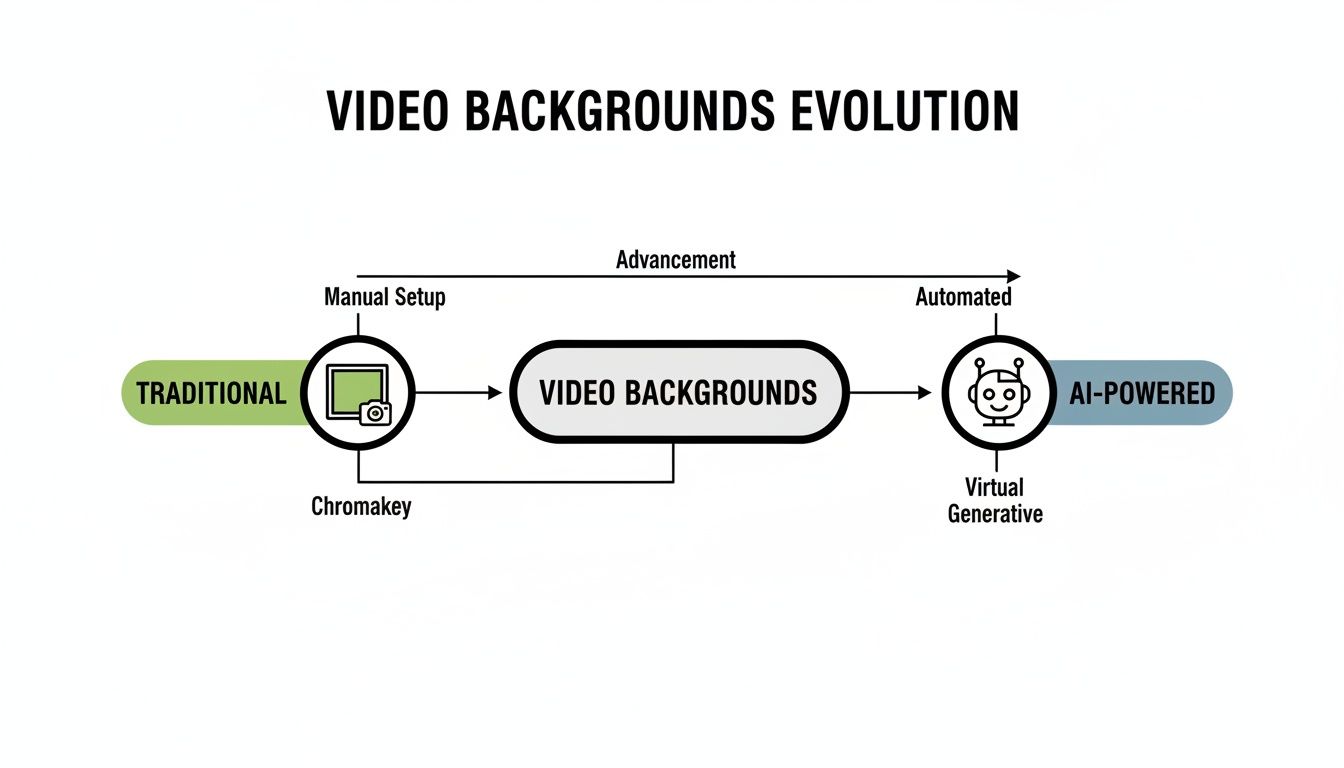
This shift is all about accessibility and efficiency, putting powerful video editing tools into everyone's hands.
Keeping the Cutout Smooth Frame by Frame
Identifying objects in a single photo is one thing, but video adds the complexity of motion. This is where things get tricky. The AI has to maintain a clean, stable cutout as the subject moves, talks, and gestures. That’s where temporal consistency becomes crucial.
A good AI model doesn't just look at each frame on its own. It analyzes the frames before and after the current one, learning the subject's motion to ensure the cutout doesn't jump around. This prevents that annoying "boiling" or shimmering effect you sometimes see on the edges with less advanced tools, where the mask flickers between frames.
It's a bit like a flipbook. For a smooth animation, each drawing needs to be a tiny, logical step from the one before it. The AI does the same thing, making sure the cutout in frame 100 makes sense based on what happened in frame 99.
Getting this right is what separates an amateur tool from a professional one. Our own AI video background remover has been trained specifically to master this, delivering clean results even when there's a lot of movement.
Tackling the Toughest Parts
Even the smartest AI runs into challenges that push its limits. These tricky situations are the true test of any background removal tool's quality.
Here are a few of the toughest elements for an AI to get right:
- Fine Details Like Hair: Isolating individual strands of hair is incredibly difficult. The best AI models are trained on massive datasets to recognize these delicate details, preserving them without creating a blocky "helmet hair" look.
- Motion Blur: When someone moves quickly, the edges of their body blur. A great AI knows how to interpret this blur and create a soft, natural edge instead of a harsh, artificial line.
- Transparent and Reflective Objects: Things like eyeglasses, shiny jewelry, or a glass of water are notoriously difficult. The AI has to learn to see both the object and the background visible through it.
The push to solve these problems is what drives innovation in AI video editing. For creators and businesses, the benefits are huge. Studies have shown that AI can boost a team’s productivity by 47% and cut pre-production time by an incredible 53%, making high-quality video more accessible than ever.
Putting AI Background Removal to Work
So, you understand the tech behind AI background removal. But what does it actually do for you? That's what really matters. This isn't just some neat party trick; it's a tool that creators, marketers, and educators are using right now to make better content, faster. From quick social media clips to polished corporate training, the uses are everywhere.
The magic is simple: film anywhere, appear everywhere. That messy home office? It’s now a clean, branded studio. A basic product shot can suddenly be placed in a bustling, eye-catching scene. This kind of flexibility used to be reserved for people with big budgets and access to a proper studio. Not anymore.

Let's break down a few of the most powerful ways people are putting this technology to use.
Supercharging Social Media and Advertising
In the hyper-competitive world of social media, you have seconds to grab someone's attention. Platforms like TikTok, Instagram Reels, and YouTube Shorts are all about visually engaging content that pops. This is where AI background removal becomes a creator’s secret weapon.
Instead of being stuck with whatever background you have, you can instantly drop your video into any setting that fits the latest trend or aesthetic. It's a game-changer for product ads and user-generated content (UGC).
Here’s a look at how it's being used:
- Dynamic Product Ads: Take a simple video of your product and place it against a dozen different backdrops—a busy city street, a peaceful beach, or a minimalist studio. This lets you A/B test different creative ideas without having to reshoot anything.
- Engaging UGC Content: Creators can pop themselves out of their original background to react to other videos, overlay themselves on top of gameplay footage, or even become part of a meme. It just makes the content more fun and visually interesting.
- Consistent Brand Aesthetics: Companies can finally make sure all their video content—whether it’s from an influencer or an employee—has a consistent, branded background. It sharpens the brand's identity and makes everything look more professional.
By getting rid of the need for a physical studio, brands can crank out platform-ready, on-brand content in a fraction of the time. This seriously cuts down production costs and gets campaigns out the door way faster.
That kind of speed and agility is crucial if you want to stay relevant.
Elevating Education and Corporate Training
With the boom in remote and hybrid work, video has become the backbone of corporate training and education. The problem is, not everyone has a professional-looking space to record in. AI background removal levels the playing field, letting anyone create sharp, distraction-free educational videos right from their home office.
An instructor recording a tutorial in their living room can instantly swap out a cluttered background for a clean, professional one. That simple change makes the content feel more authoritative and helps learners stay focused on what's being taught.
Some common uses we see all the time:
- Online Courses and Tutorials: Teachers can record lessons from anywhere and replace the background with relevant slides, helpful diagrams, or just a simple branded backdrop.
- Corporate Webinars: Presenters can maintain a professional look during live or pre-recorded webinars, getting rid of any distracting home environments.
- Onboarding Videos: New hires can be welcomed with polished training videos that reflect the company's professionalism, no matter where the video was originally filmed.
Empowering Professional Video Editors
For the pros—video editors and motion designers—AI background removal is an incredible time-saver. The old-school method of rotoscoping, where you manually trace a subject frame by agonizing frame, is brutally slow and expensive. While AI won't replace a skilled artist for high-end Hollywood effects, it automates the lion's share of the work for most day-to-day tasks.
The key feature for professionals is the ability to export a video with a transparent background, known as an alpha channel. This gives you a clean, isolated asset that you can easily layer into more complex projects in software like Adobe Premiere Pro or After Effects.
Instead of just swapping in a new background, the AI generates a video of only the subject. This asset is ready to be dropped into any project you can imagine, turning what used to be a multi-day task into a job that takes just a few minutes.
Your First AI Video Edit in Five Minutes
Theory and use cases are interesting, but the real magic happens when you see AI background removal work in seconds. Let's be honest, the intimidation factor in video editing often comes from those complex interfaces and confusing timelines. Thankfully, modern AI tools have tossed that whole playbook out the window. The experience is now so simple and guided, it feels more like using a social media app than wrestling with professional software.
The entire process is designed to be as smooth as possible. Forget about downloading clunky programs—you can do the whole edit right in your browser. This not only saves a ton of time but also opens up high-quality video production to just about anyone, no matter their technical skill or how powerful their computer is.
The Simple Three-Step Workflow
Getting your first AI-edited video out the door is surprisingly fast. The whole thing is boiled down to three essential steps: upload, customize, and export. Each stage is completely intuitive, with clear options that guide you to the finish line without drowning you in technical jargon. This streamlined approach is a huge reason why so many are getting great results.
In fact, businesses are reporting major savings—63% say AI has slashed their video production expenses by a whopping 58%. For social media marketers cranking out ads, this means getting content ready faster as the AI intelligently identifies scenes for smart edits. It's no wonder the AI video tools market is projected to hit $4.2 billion. You can find more cool stats and video editing trends on Gudsho.com.
Let's walk through just how easy it is using a tool like VideoBGRemover.
Upload Your Footage Just drag and drop your video file. It handles all the common formats like MP4, MOV, or WebM. The tool immediately starts analyzing your footage, frame by frame, to lock onto your main subject.
Preview and Customize In just a few moments, you’ll get a preview of your video with the background completely gone. From here, you’ve got options. You can leave it transparent, drop in a solid color, upload a custom image, or even place a whole new video behind your subject.
Export Your Final Video Once you’re happy with how it looks, just pick your export format and download the file. Because it’s a pay-as-you-go model, you only ever pay for the videos you actually export.
This screenshot of the VideoBGRemover tool shows just how clean and simple the interface is, focusing on the upload and preview stages.
The layout makes it obvious that you don't need to be a tech wizard. If you can upload a file, you can do this.
Choosing the Right Export Format
The final step—exporting—is where you decide how your new video will be used. The format you pick is critical and depends entirely on what you're trying to accomplish. This isn't a one-size-fits-all deal; different formats serve very different purposes.
Think of it like saving a document. You might save a draft as a Word file while you're still editing, but you'd save the final version as a PDF to share with others. Video formats are pretty much the same.
Choosing the right export option is the bridge between a quick social media post and a professional, multi-layered video project. Understanding the difference unlocks a new level of creative control.
Here’s a quick breakdown of the most common export options and when you’d want to use them:
MP4 with a New Background: This is the go-to for most people. It "bakes" your subject and the new background into a single, standard video file that's ready to upload directly to YouTube, Instagram, or TikTok. It’s small, works everywhere, and is perfect for finished content you need to get out the door fast.
Transparent (Alpha Channel) Formats: This is the professional’s choice. Exporting with a transparent background gives you a video of just your subject. You can then pull this file into more advanced editing software like Adobe Premiere Pro or Final Cut Pro for more complex projects.
- MOV ProRes 4444: This is the industry standard for high-quality video with transparency. It keeps every bit of detail and is the top choice for professional work where quality can't be compromised.
- WebM (VP9): A fantastic, web-friendly option that also supports transparency but with smaller file sizes. It's perfect for things like web animations or video overlays where you need a good balance between quality and performance.
- PNG Sequence: Instead of a single video file, this option exports a series of individual image frames, each with a transparent background. This gives you maximum control for complex animation and visual effects work.
This level of flexibility ensures that whether you're a creator making a quick Reel or an editor building a complex commercial, AI video background removal can fit right into your workflow.
Tips for a Flawless AI Cutout
AI is remarkably good at cutting subjects out of a video, but it’s not magic. The old saying "garbage in, garbage out" absolutely applies here. The quality of your original video is the single biggest factor determining how clean your final result will be.
Think of it this way: you're trying to give the AI a clear, easy-to-follow map. The more you can do to distinguish your subject from the background before you even hit record, the better. A little prep work upfront goes a long way, saving you from headaches and tedious cleanup later.
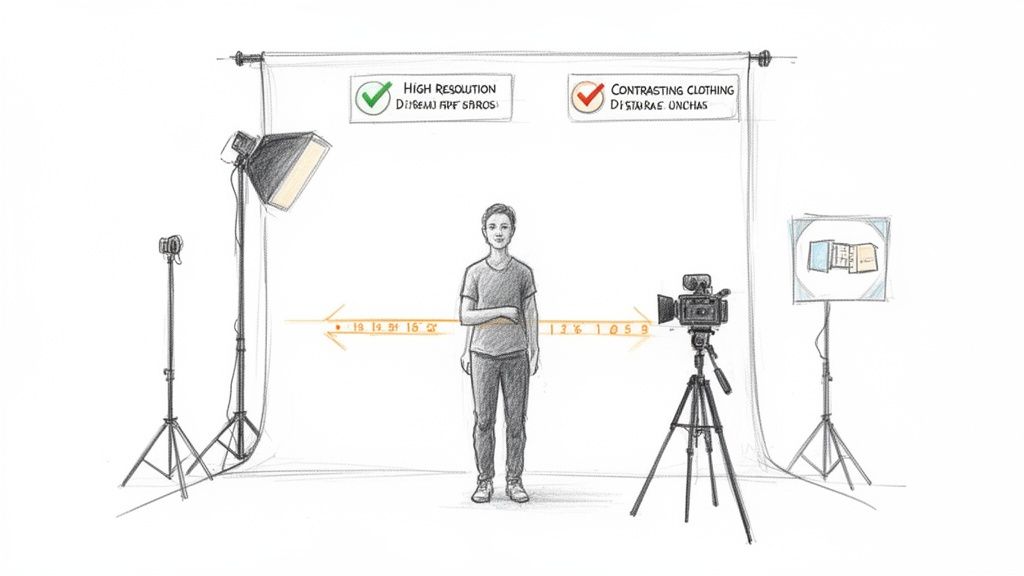
Prioritize Good Lighting
If you only focus on one thing, make it lighting. It’s the most critical element for a clean AI video background removal. Your main goal is to create a crisp separation between your subject and everything behind them, and light is the best tool for the job.
Soft, even lighting helps define the edges of your subject, making them "pop." A classic three-point lighting setup (key, fill, and backlight) works wonders for this, but you don't need a pro studio. Even a simple ring light or positioning yourself in front of a big, bright window can make a huge difference.
Steer clear of harsh overhead lighting. It creates dark, messy shadows that can easily confuse the AI, causing it to accidentally chop away parts of your subject you wanted to keep.
Create Visual Contrast
Next, you need to create a clear visual difference between what you're keeping and what you're removing. This comes down to the colors and patterns of your subject's clothing and the background itself.
Here’s how to maximize that contrast:
- Avoid Matching Colors: Simple enough—if you're standing in front of a blue wall, don't wear a blue shirt. The more your clothes blend in, the tougher it is for the AI to find the edge.
- Keep Backgrounds Simple: A cluttered bookshelf or a busy pattern can create a ton of visual noise. A plain, solid-colored wall is always a much safer bet.
- Mind the Details: Think about specifics. If your subject has dark hair, filming against a light-colored wall will give you a much cleaner edge than filming against a dark one.
Optimize Your Camera Settings
The technical quality of the video file itself plays a massive role. A higher-quality video gives the AI more data to analyze, which almost always results in a more precise cutout.
Before you press record, check these settings:
- Shoot in High Resolution: Filming in 1080p or 4K gives the AI more pixels to work with. This is especially important for getting the fine details right around tricky areas like hair.
- Use a Lower ISO: High ISO settings introduce that grainy "noise" into your footage. This can blur the lines between your subject and background, making the AI’s job much harder. Keep your ISO as low as your lighting allows.
- Maintain a Sharp Focus: Make sure your subject is consistently in focus. If the footage is blurry, the algorithm will struggle to find a crisp edge to follow.
Putting in a little thought on the front end makes the entire AI video background removal process smoother, faster, and far more impressive.
Scaling Your Workflow for Teams and Developers
Removing the background from one video is straightforward. But what if you're dealing with an entire product line or a full season's worth of social media content? This is where AI background removal truly comes into its own, shifting from a simple tool to a powerful engine for large-scale, professional workflows.
For agencies, brands, and developers, efficiency is the name of the game. Processing clips one by one just doesn't cut it when you have tight deadlines and a mountain of footage to get through. The solution is automation built for these exact high-demand scenarios.
Powering Through with Batch Processing
Imagine an e-commerce brand launching a new collection with 50 product videos. Going through each one individually would be a soul-crushing, time-consuming task. Batch processing is the answer. It lets you upload and process a whole group of video files at the same time, essentially setting up an entire campaign to process in one go.
This feature is a game-changer for a few key groups:
- Marketing Agencies: Process a client's entire social media campaign at once, creating a consistent, professional look across all videos.
- E-commerce Brands: Quickly prep dozens of product showcase videos for your online store, removing cluttered backgrounds to keep the focus squarely on the merchandise.
- Content Production Teams: Drastically speed up the editing pipeline by processing all of the day's raw footage in a single, automated step.
By queuing up multiple videos, teams can get back countless hours of what used to be manual labor. This frees up your creative people to focus on strategy and storytelling instead of getting bogged down in repetitive editing.
Integrating AI with API Access
For developers and businesses running their own custom platforms, the next step up is an Application Programming Interface (API). Think of an API as a bridge that lets different software programs talk to each other. Here, it means you can build the AI background removal technology directly into your own applications, websites, or internal tools.
This opens up a whole world of automated video possibilities. For anyone thinking about how to embed this kind of advanced AI into bigger systems, looking into topics around developing video streaming applications can offer some great insights into building video-first workflows. With an API, you can design seamless systems that run entirely on their own. For a practical example, you can see how to automate video background removal with n8n and build some seriously powerful workflows.
What does this look like in the real world? A user-generated content platform could automatically strip the background from every video a user uploads. A corporate training portal could process new instructional videos the moment they're added. This kind of integration turns AI video background removal from a standalone tool into a core component of your entire production ecosystem. It’s how you achieve true automation at scale.
Your Questions Answered: AI Background Removal FAQs
It's natural to have questions when you're trying out a new tool, and AI video background removal is no different. It’s an impressive technology, but you're probably wondering about its limits and if it’s truly the right choice for what you're working on. We've rounded up the most common questions we hear to give you straight-to-the-point answers.
This section gets into the nitty-gritty, covering everything from video resolution and file types to how the AI actually performs with the messy, unpredictable footage of the real world. Our goal is to clear up any confusion so you can feel confident and ready to create.
What’s the Maximum Video Quality I Can Use?
This is a big one. Does using an AI tool mean you have to compromise on quality? Absolutely not. Any professional-grade AI background remover should be able to handle the high-resolution footage you’re already using.
For example, many services can easily process videos all the way up to 4K resolution. This is huge because it means you can work with your best footage and know that the final video will come out looking just as sharp and detailed. The AI works with your video's original resolution to keep every detail intact.
On top of that, the tool should respect your original frame rate, whether you shot at 24, 30, or 60 FPS. This is crucial for maintaining that smooth, fluid motion and avoiding any jarring or choppy playback in your final video.
What File Formats Can I Upload?
A clunky workflow can kill creativity. You shouldn't have to spend precious time converting files before you can even get started. That's why modern AI tools are designed to work seamlessly with the most popular video formats out there.
You should be able to upload your files directly in formats like:
- MP4: The go-to format for almost everything on the web, from YouTube to social media.
- MOV: A favorite among video editors and Apple users for its ability to retain high quality.
- WebM: A fantastic option for web use, striking a great balance between quality and file size.
Having this flexibility means you can pull a file straight from your camera or editing software and get right to work. It’s all about removing the friction so you can focus on the fun part.
How Does the AI Deal With Complex Scenes?
Okay, this is where it gets real. What happens when your video isn't shot in a perfect studio? The best AI models are trained on an enormous amount of challenging footage, so they’re prepared to deliver clean results even when things get complicated.
A truly powerful AI doesn’t just excel with simple shots. It’s trained to see the subtleties in real-world video—from fast action to busy backgrounds—and produce a reliable cutout every single time.
Here's a look at how a well-trained AI rises to common challenges:
- Fast Motion and Motion Blur: Instead of creating a harsh, artificial edge, the AI analyzes movement across frames. This allows it to create a soft, natural-looking edge that blends perfectly with the existing motion blur.
- Fine Details Like Hair: This used to be a nightmare. But by learning from millions of examples, the model can now isolate and preserve individual strands of hair, finally getting rid of that chunky, "helmet head" effect.
- Weird Lighting and Shadows: The algorithm is sophisticated enough to tell the difference between your subject and their shadow. It knows to remove only the background elements, leaving the subject looking natural.
Of course, starting with a well-lit shot is always going to give you the cleanest result. But a top-tier AI video background removal tool is built to be forgiving. It's designed to handle the imperfect, everyday footage we all end up with, saving you the headache of a reshoot.
Ready to put it to the test? Transform your own videos in just a few clicks with VideoBGRemover. Upload your footage, get a free preview, and start creating professional-looking content without all the usual hassle. Start your first project today at https://videobgremover.com.
Tagged with
Ready to Remove Your Video Background?
See a free preview before you buy.
No credit card required • Free preview on every video