Video editing costs: The Essential Budgeting Guide for Your Project
Understand video editing costs across freelancers, agencies, and DIY options to budget smarter and pick the best option.
So, how much does video editing actually cost? The honest answer is: it depends. You could pay as little as $25 per hour for a newcomer or well over $150 per hour for a top-tier agency. A quick social media clip might only set you back $50, but a high-end corporate video can easily run into the thousands.
How Much Should You Expect to Pay for Video Editing
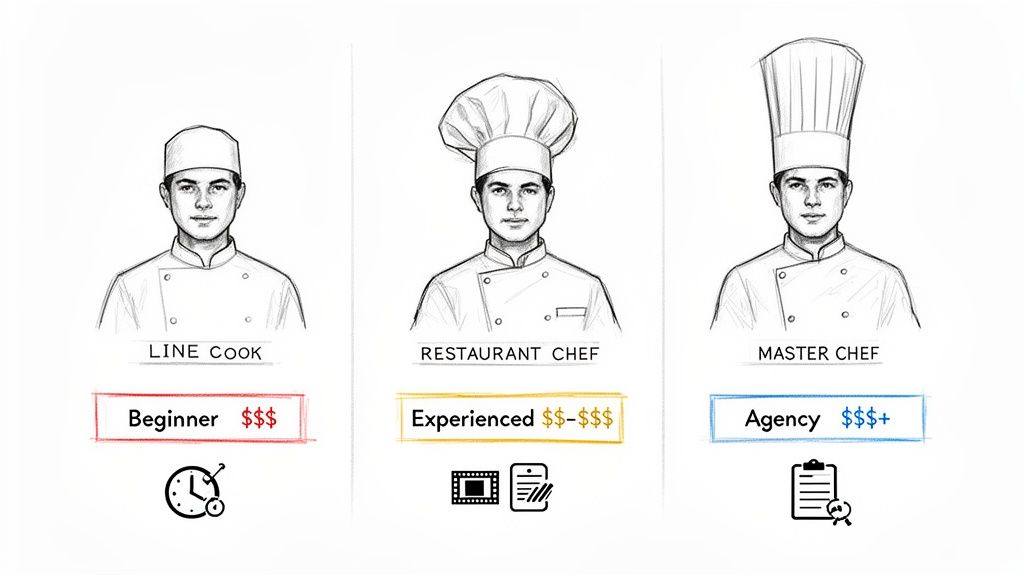
Trying to budget for video editing is a lot like deciding where to go for dinner. The price tag really comes down to the skill of the chef and how complex a meal you're after.
Think about it like this: a line cook (a beginner editor or a simple DIY tool) can whip up a quick, decent meal for a low price. A talented restaurant chef (an experienced freelancer) can craft something truly memorable and polished. Then you have the master chef (a professional agency), who delivers a full-blown gourmet experience.
Each option strikes a different balance between cost, quality, and effort on your part. Let's break down what that means for your wallet.
Comparing Editor Tiers
Your choice of editor is the single biggest factor affecting the final price. To give you a clear starting point, here are the typical rates you'll find for different levels of expertise.
Beginner / DIY Tools ($15-$30/hour): This is the most wallet-friendly route. It's perfect for simple projects like basic vlogs or social media clips where all you need are clean cuts, some background music, and maybe a text overlay.
Intermediate Freelancer ($30-$60/hour): This is the sweet spot for a lot of businesses. You’re getting a skilled editor who can handle more involved projects like YouTube videos, corporate interviews, or tutorials. They have a good sense of pacing and can manage basic color correction and audio mixing.
Expert / Agency ($60-$150+/hour): When you absolutely can't compromise on quality, this is where you go. Think commercials, polished branded content, or high-stakes marketing videos. These pros bring advanced skills in motion graphics, sound design, and narrative storytelling to the table.
The global demand for video is huge, pushing the market to USD 3.09 billion in 2023. This hunger for content allows top-tier editors to command rates of $100-$500 per hour. At the same time, specialized AI tools are making professional results more accessible than ever by automating time-consuming tasks. You can dive deeper into these trends with video editing software statistics from Sendshort.ai.
This simple framework helps set realistic expectations from the get-go. Before you even think about posting a job, ask yourself: am I looking for a quick social media snack or a full-course corporate production? That answer is the first step to building a budget that makes sense.
Of course, hourly rates are just one way to slice it. Many editors also charge per minute of finished video or on a fixed per-project basis, which we'll cover next. Then you have tools like ours, which offer a completely different model. Instead of paying for time, you pay for a specific result—like instantly removing a video background. You can see how that works on our pricing page.
To make this even clearer, here's a quick summary of what you can expect to pay across different pricing models and experience levels.
Average Video Editing Costs at a Glance
| Pricing Model | Beginner / DIY Tools | Freelancer (Intermediate) | Agency / Pro (Expert) |
|---|---|---|---|
| Per Hour | $15 – $30 | $30 – $60 | $60 – $150+ |
| Per Finished Minute | $10 – $50 | $50 – $150 | $150 – $500+ |
| Per Project | $50 – $250 | $250 – $1,500 | $1,500 – $10,000+ |
This table gives you a ballpark idea of where your project might land. Remember, these are just averages—the final cost will always depend on the specific details of your video.
The Core Factors That Influence Your Final Cost
So, why can one person get a quick social media clip done for $50, while a polished corporate video sets a company back thousands? It's not just about the editor's hourly rate. The real answer lies in what's actually happening during those hours. Getting a handle on these key drivers is the first step toward building a budget that makes sense and avoiding any nasty surprises.
I like to think of it like building with LEGOs. A simple tower is like a basic talking-head video—it doesn't need many bricks or much time to put together. But a detailed castle with moving parts, intricate designs, and a specific color scheme? That’s your cinematic ad. It needs more resources, specialized pieces, and a whole lot more time to assemble. The exact same logic applies to video editing.
The Volume and Quality of Raw Footage
Honestly, the biggest factor that almost always drives up the cost is the sheer amount of raw footage an editor has to deal with. More footage doesn't just mean more video to watch; it means more to organize, sift through, and painstakingly select the best takes from.
An editor who gets 15 minutes of well-labeled footage to create a 2-minute video has a straightforward task. But an editor who receives four hours of unorganized clips for that same 2-minute video? Their job just got a lot harder. That second scenario forces them to spend hours just "culling" the footage—chopping out the bad takes and finding the good stuff—before any of the fun, creative editing can even start. That preliminary work adds up fast on the final bill.
Key Takeaway: If you want to keep costs down, give your editor clean, organized, and manageable footage. Every extra minute of tape you hand over is more time they have to spend on the clock.
This is exactly why having a good plan and a shot list before you even start filming is so important. It helps you capture only what you need, which saves a ton of time and money later in the editing room.
The Complexity of the Edit
Once the best clips are on the timeline, the real work begins. How complex the edit needs to be will have a massive impact on the price. This is where you see the huge difference between a simple "assembly" edit and a truly polished, professional video.
Here’s a quick look at what that can involve, from the simple to the complex:
- Basic Assembly: This is just the fundamentals—making simple cuts, putting clips in the right order, and maybe adding a title card. It’s the skeleton of any video.
- Audio Enhancement: You can't have a great video with bad sound. This means cleaning up background noise, making sure all the audio levels are balanced, and mixing in background music.
- Color Correction and Grading: Color correction is about fixing technical issues like exposure and white balance. Color grading is the artistic part—giving the video a specific mood or a cinematic look.
- Motion Graphics and Text Overlays: This is where you add things like animated text, lower thirds (the little banners with a person's name and title), and other graphics to help explain things.
- Advanced Effects (VFX): We're talking about the heavy-duty stuff here, like removing unwanted objects from a shot, creating special effects, or doing complex animation. This requires serious skill and specialized software.
A project that just needs a basic assembly is going to be way cheaper than one that needs detailed color grading and a bunch of motion graphics. Every one of these layers adds more time and complexity to the job.
Turnaround Time and Revisions
Finally, the last two big things that can move the needle on your budget are speed and feedback. Need a video turned around in 24 hours? You should expect to pay a rush fee, which can easily be an extra 25-50% (or more) on top of the standard rate. That premium is for the editor dropping everything else to make your project the top priority.
The number of revisions can also send costs climbing. Every round of feedback means more work. It’s far more efficient to gather clear, consolidated notes from everyone involved all at once, rather than sending a scattered stream of small changes. Most editors will include one or two rounds of revisions in their quote, but anything beyond that will cost you extra. Being clear and decisive with your feedback from the get-go is the best way to keep your editing costs predictable.
Choosing Your Path: DIY vs. Freelancer vs. Agency vs. AI
So, you know what drives video editing costs. Now comes the big question: who’s actually going to do the work? This decision is a major fork in the road, and the path you take will directly shape your budget, timeline, and the quality of the final video.
Each option—rolling up your sleeves and doing it yourself, hiring a freelancer, bringing in an agency, or using smart AI tools—has its own set of pros and cons. Think of it less like a choice and more like finding the right tool for the job. You wouldn't use a sledgehammer to hang a picture frame, right? It's all about matching the approach to your specific needs.
Video Editing Approaches Compared
To really wrap your head around these options, it helps to see them side-by-side. Each route offers a different blend of cost, quality, and speed. This table breaks down what you can expect from each one.
| Factor | DIY Software | Freelancer | Agency | AI Tools (e.g., VideoBGRemover) |
|---|---|---|---|---|
| Cost | Low (software subscription) | Medium (per hour/project) | High (project retainers) | Very Low (subscription/pay-per-use) |
| Quality | Depends on your skill | Professional | Premium, highly polished | Consistent for specific tasks |
| Speed | Slow (steep learning curve) | Fast (experienced pro) | Very Fast (full team) | Instant (automated tasks) |
| Control | Total creative freedom | Collaborative | Hands-off, strategic | User-driven |
| Ideal For | Beginners, personal projects, simple edits | SMBs, YouTubers, one-off projects | Major campaigns, corporate videos | Repetitive tasks, budget-conscious creators |
As you can see, there's no single "best" answer—only the best fit for your project's goals and resources.
The DIY Software Route
Going the DIY route puts you in the driver’s seat. With powerful software like Adobe Premiere Pro or Final Cut Pro, you have complete creative control over every single frame. This path is perfect if you have more time than money, a genuine desire to learn the craft, or your editing needs are pretty basic.
The real cost here isn’t the monthly subscription; it’s your time. Be prepared to invest serious hours learning the software and the principles of good editing. It's a fantastic choice for personal passion projects, but it can quickly become a massive bottleneck if your business needs consistent, professional video content.
Hiring a Freelance Video Editor
For many, hiring a freelancer is the sweet spot. You get professional expertise without the hefty price tag of a full-blown agency. Finding talent has never been easier thanks to platforms like Upwork and Fiverr, but you have to do your homework to find the right person.
A good freelancer brings both skill and efficiency, transforming your raw footage into a polished final product far quicker than you ever could. This approach strikes a great balance between cost and quality, making it a go-to for small businesses, content creators, and marketing teams. The secret to success? Crystal-clear communication. A detailed brief and organized files will save you a ton of headaches and money.
The global video editing market is absolutely exploding and is projected to hit USD 4.99 billion by 2031. With small and medium-sized businesses jumping into video at a rapid 7.88% annual growth rate, AI tools are becoming essential for creating high-quality content without breaking the bank. You can dig deeper into the market trends over at Mordor Intelligence.
Partnering with a Video Agency
When the stakes are high and you just need it done right, an agency is your best bet. This is the full-service, white-glove option. You’re not just hiring an editor; you’re getting a whole team—project managers, creative directors, motion graphics artists, and more. They manage everything from the initial concept to the final delivery.
This is the premium choice, and it's best for big-budget marketing campaigns, broadcast commercials, or high-production corporate videos. Yes, the price is significantly higher, but what you’re really paying for is expertise, reliability, and peace of mind.
Leveraging Modern AI Tools
There’s a powerful new player in the game: AI-powered editing tools. These clever apps don't replace human creativity but act as a super-powered assistant, automating the tedious, time-sucking tasks that used to take hours of manual work.
Take VideoBGRemover, for example. It automates background removal—a job that traditionally demanded a physical green screen and painstaking editing. Instead of paying an editor for hours of meticulous work, you can get it done yourself in just a few minutes. This makes AI an incredible cost-saving asset for anyone. Want to learn more? Check out our breakdown of the best AI video editing software.
This decision tree gives you a simple visual guide for picking a path based on how much footage you have and how complex the edit will be.
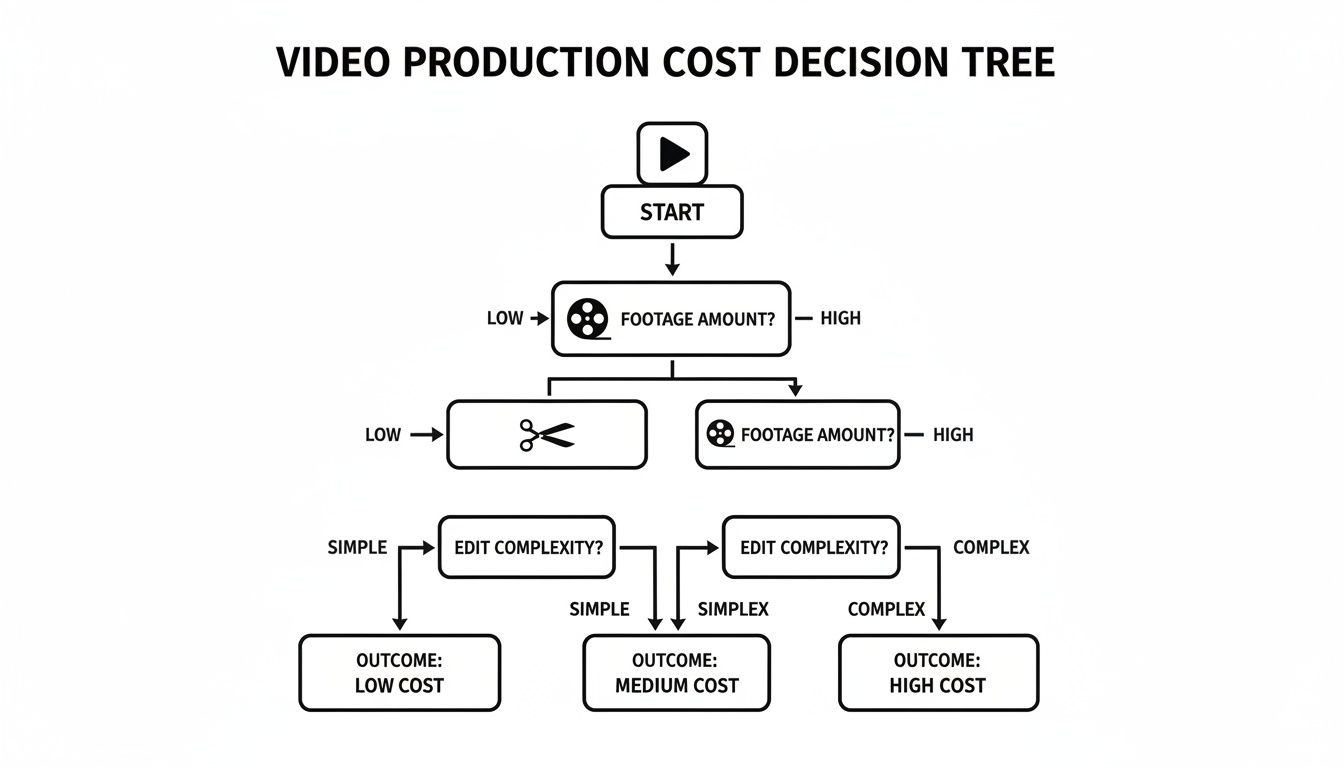
As you can see, the more complex a project gets, the more it makes sense to move from DIY and AI tools toward a dedicated freelancer or a full agency. At the end of the day, it's about weighing the pros and cons to find the path that gets you the best possible video for your budget.
How Much to Budget for Real-World Video Projects
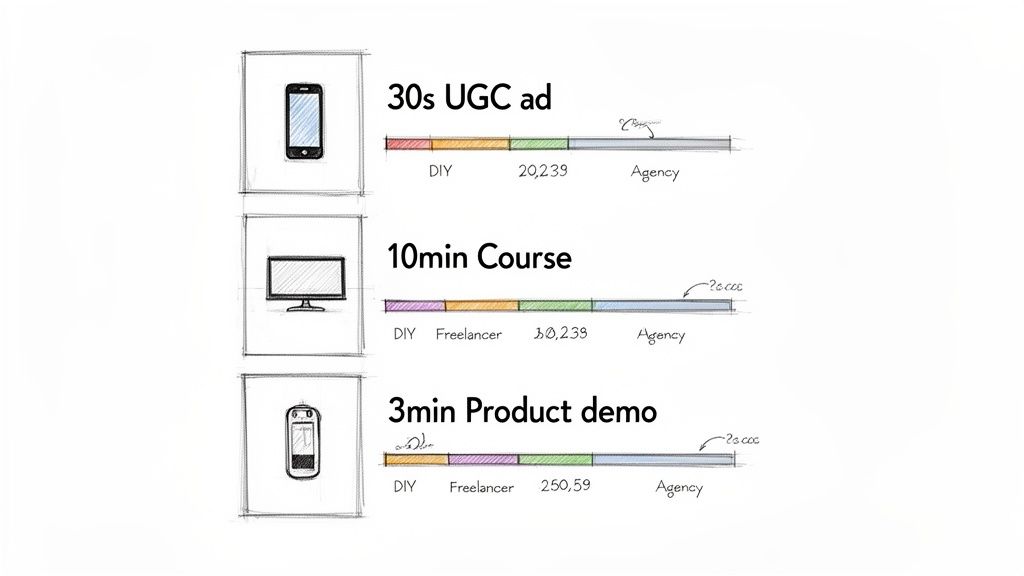
Hourly rates and averages are a great starting point, but they don't really answer the big question: "How much is my video going to cost?" To get closer to a real answer, let's walk through a few common projects I see all the time. By breaking down what each one actually needs, you can get a much sharper idea of what to set aside in your budget.
For each scenario, we'll look at two common paths: bringing on a mid-level freelancer versus taking a "hybrid" approach. This hybrid model is all about using affordable DIY software for the basics and leaning on specialized AI tools for the heavy lifting, giving you a smart way to balance cost, quality, and your own time.
Scenario One: The 30-Second UGC-Style Ad
Think of the ads you see on TikTok or Instagram Reels—they're fast, feel authentic, and are designed to stop the scroll. That’s the User-Generated Content (UGC) style. They rely on quick cuts, bold text on the screen, and music that grabs you immediately.
- Project Brief: Take a handful of short clips shot on a phone and cut them into a punchy, 30-second ad that feels right at home on social media.
- Editing Needs: Lots of quick cuts, text overlays, music synced to the action, and captions.
- Footage Amount: Usually around 5-10 minutes of raw clips.
An edit like this is all about energy, not cinematic perfection. A good editor can knock this out in about 1 to 4 hours.
Freelancer Cost: A solid freelancer charging $50 per hour would probably quote you somewhere between $100 and $250. That typically covers the edit, the simple graphics, and a round of feedback.
Hybrid DIY + AI Cost: You're looking at a software subscription for maybe $20-$30 per month. Add a few bucks for an AI tool to generate captions automatically, and your total cash out-of-pocket is under $50, plus the time you put in.
Scenario Two: The 10-Minute Online Course Module
When you're creating educational content, clarity is king. The video has to be engaging and super easy to follow. This usually means blending a "talking head" video of the instructor with screen recordings, slides, or graphics that point out important details.
- Project Brief: Create a 10-minute training video by editing a presenter's footage with a screen-recorded software demo, making it look professional.
- Editing Needs: Syncing the camera and screen footage, cleaning up mistakes, adding zooms or highlights to the screen recording, and some basic audio sweetening.
- Footage Amount: Roughly 30-45 minutes of raw footage.
This is a much more involved project. An editor will likely spend 6 to 15 hours on it, mostly because lining up the presenter's actions with what’s happening on the screen takes time and precision.
Freelancer Cost: At that same $50 per hour rate, you should budget between $400 and $800. The price reflects the complexity of juggling multiple video tracks to create a seamless experience.
Hybrid DIY + AI Cost: Your software cost is still around $30. The biggest headache here is cutting out the background behind the presenter to place them over the screen recording. A tool like VideoBGRemover can do this automatically, saving hours of manual work and keeping your total cost under $100.
Scenario Three: The 3-Minute Professional Product Demo
A product demo for your website isn't just a video; it's a critical sales tool. It has to look slick, be persuasive, and scream "your brand." We're talking high-quality footage, custom motion graphics, and a pro voiceover.
- Project Brief: Produce a 3-minute showcase for a physical product using studio-shot footage, branded graphics, and a professional voiceover and music track.
- Editing Needs: High-level color grading, motion graphics to call out features, pro-level audio mixing, and storytelling through pacing.
- Footage Amount: 20-30 minutes of high-resolution source files.
This is the big leagues. A project like this demands a high degree of skill and attention to detail, easily taking an editor 8 to 20 hours to get right.
Freelancer Cost: For this level of work, an experienced freelancer will charge more, probably in the $60-$75 per hour range. That puts the total video editing costs between $600 and $1,800. You're paying for a polished asset that's meant to drive sales.
Hybrid DIY + AI Cost: Honestly, while you could try this yourself, getting a truly high-end result is tough. You might save some money on specific tasks, but the time and expertise required for top-tier motion graphics and color grading are significant. For a project this important, hiring an expert is almost always the better investment.
How AI Tools Cut Down Post-Production Time and Costs
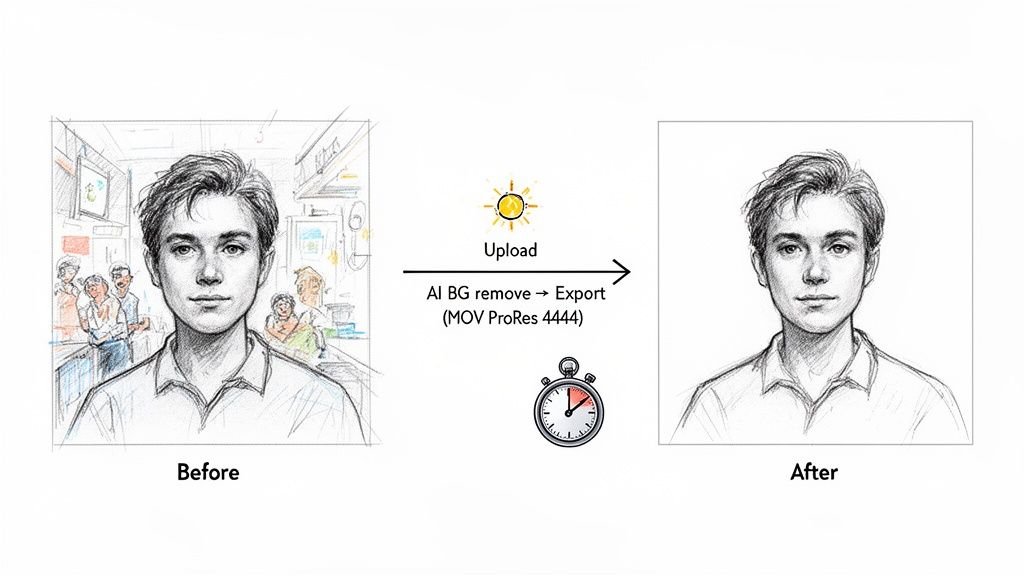
AI isn't here to replace human creativity. Instead, think of it as a super-efficient assistant that takes on the most grueling, repetitive, and time-sucking editing tasks.
This is a huge deal for anyone watching their budget. By automating the manual grunt work, you can dramatically reduce your video editing costs. Instead of paying a professional editor for hours of meticulous clicking, you can let an AI handle it and get a fantastic result in just a few minutes.
The End of the Green Screen Era
Background removal is probably the most obvious example of this shift. For decades, if you wanted to cleanly remove a person from their background, your only real option was a green screen. That meant finding the space, setting up specific lighting, and then hiring an editor skilled in "keying" to pull it all together. It was a whole production.
AI has completely changed the game. What used to demand a controlled studio environment and hours of painstaking work can now be done with a click.
Consider a technique called rotoscoping—the art of manually tracing an object, frame by agonizing frame, to isolate it. A few seconds of footage could easily take a seasoned pro hours to complete. An AI tool does the same job in under a minute. That’s a massive saving in both time and money.
This isn't just a minor improvement; it's a breakthrough for anyone who needs a polished, professional look for their ads, tutorials, or social media content without a Hollywood budget.
A Smarter, Cheaper Workflow
Let's walk through how this works in the real world with a tool like VideoBGRemover. The entire process is built to be fast, simple, and affordable.
- Upload Your Video: Grab any clip you have—MP4, MOV, WebM, it doesn't matter. You don't need a green screen, so you can use footage shot absolutely anywhere.
- Let the AI Work Its Magic: The algorithm scans every single frame, intelligently separating your subject from the background. It’s smart enough to handle tricky details like wisps of hair and complex motion.
- Get a Pro-Level File: Once it's done, you can download your video with a perfectly transparent background. You get options ranging from a standard MP4 to professional formats like MOV ProRes 4444 or even a PNG sequence, ready to drop into any project.
The workflow is dead simple: upload, process, download. This simplicity is precisely what cuts down the technical barriers and extra hours that used to drive up video editing costs.
This is all part of a bigger trend. The market for cloud-based video editing is set to grow by 8.23% annually, largely because these tools can cut project costs by 30-50% compared to traditional, hardware-heavy setups. For creators, this means getting clean, transparent video files without needing a green screen, saving what used to cost $50-$200 per minute of edited footage.
Even niche tools, like an AI meme generator, fit into this new ecosystem by speeding up the creation of smaller content pieces for your projects. By letting AI handle these specific tasks, you free up your budget and your brainpower to focus on what really counts: telling a great story.
Actionable Tips for Lowering Your Video Editing Costs
Knowing what video editing costs is one thing, but actually getting those costs down is a whole different ball game. A little smart planning and a few strategic choices can make a huge difference, ensuring every dollar you spend is on the screen, not wasted on inefficiency.
Think of it this way: your editor’s time is a finite, valuable resource. The less time they spend digging for files or trying to interpret vague notes, the more time they can spend on what you're actually paying them for—creative editing. That's the core principle behind getting the most bang for your buck.
Prepare for a Smooth Handoff
One of the single best ways to cut down on billable hours is to get organized before the editor even sees your project. A messy, confusing handoff is a one-way ticket to a bigger bill.
- Create a Shot List: Before you even press record, map out every single shot you need. This simple step keeps you from shooting hours of footage that someone has to painstakingly sort through later.
- Organize Your Files: Please, don't just dump everything into a single folder. Create a clean, logical structure with subfolders for video, audio, graphics, and music. Give your files descriptive names (e.g., "Interview_MainCamera_Take1.mp4").
- Provide a Clear Brief: Write it all down. What's the goal? Who's the audience? What are the key messages? If you have reference videos that nail the style you're after, include the links.
Streamline the Feedback Process
Nothing kills a budget faster than endless rounds of revisions. Vague feedback like "make it pop" is the editor's worst nightmare and a surefire way to burn through hours. Your goal should be consolidated, crystal-clear feedback.
Pro Tip: Gather all feedback from your team into one document with time-stamped notes. Instead of "I don't like the music," try "At 0:45, let's replace the current track with something more upbeat and energetic."
This simple practice removes all the guesswork. It allows the editor to nail the changes in one efficient pass, potentially saving you from paying for a whole extra round of revisions.
Embrace Smart Automation and Templates
If you're creating recurring content, like a weekly YouTube show or monthly social media clips, templates are your secret weapon. By creating a standard intro, outro, and graphics package once, your editor isn't reinventing the wheel every single time. This slashes the setup time for each new video.
Also, don't be afraid to use AI tools for specific, tedious tasks. This is one of the smartest ways to keep your freelance or agency costs in check. Instead of paying an expert's hourly rate for them to manually rotoscope a background, a tool like VideoBGRemover can get it done in minutes for a tiny fraction of the cost. This hybrid approach lets you save a ton of money without compromising on a professional look.
Looking at the bigger picture, even things like solid IT asset lifecycle management for your computers and drives can prevent costly production delays and data loss down the road.
Your Top Questions About Video Editing Costs, Answered
Let's tackle some of the most common questions that pop up when you're trying to figure out video editing costs. Getting these sorted out will help you set a realistic budget and walk into your next project feeling confident and prepared.
What’s a Fair Hourly Rate for a Video Editor?
This is a classic "it depends" situation, but it almost always comes down to experience and skill set. Someone just starting out, maybe a student or a newcomer building their portfolio, might charge between $25 and $50 per hour for simpler edits.
Once you get into the territory of seasoned professionals with a proven track record, you're typically looking at rates in the $50 to $100 per hour range. Then you have the specialists—the pros who live and breathe complex motion graphics, high-end color grading, or slick visual effects. These experts often command $100 per hour and up.
How Can I Make a Professional-Looking Video on a Shoestring Budget?
Making a great video without a huge budget is totally possible. It’s all about being strategic and focusing your resources where they matter most. The trick is to cut down on the most time-intensive (and therefore, most expensive) parts of editing.
First, solid pre-production planning is your best friend. Know exactly what you need to shoot so you don't waste time sifting through hours of unusable footage later. Using high-quality templates for things like intros or social media clips can also be a massive time-saver. Finally, don't be afraid to lean on smart, cost-effective tools for specific tasks.
For instance, manual rotoscoping (cutting a subject out from their background) can take an editor hours. Instead of paying for that time, an AI-powered tool can deliver a clean, professional result in just a few minutes, drastically cutting your costs. This mix-and-match approach gets you a polished video without the premium price.
Do I Actually Need a Green Screen to Change My Background?
Not anymore! For decades, a green screen was the go-to standard for cleanly replacing a background. But today’s technology has pretty much made it an optional accessory, not a necessity.
Modern AI tools can analyze your video, identify the subject, and digitally separate them from almost any background. No special lighting, no green fabric, no controlled studio required. This is a game-changer because it saves you money on gear and eliminates the headache of setting up a perfect shot, making pro-level background replacement available to anyone with a camera.
Ready to see how much time and money you can save? With VideoBGRemover, you can get a perfect, transparent background in minutes without ever touching a green screen. Try it for free today at videobgremover.com and discover just how simple professional editing can be.
Tagged with
Ready to Remove Your Video Background?
See a free preview before you buy.
No credit card required • Free preview on every video