Social Media Video Tips: 7 Quick Hacks to Boost Reach
Discover social media video tips to boost engagement. Learn 10 actionable hacks for creating captivating, high-performing videos that grow your brand.
Creating social media videos can feel like a high-stakes game. You invest hours filming, editing, and perfecting, only to see your content get lost in the endless scroll. The reality is that common advice like 'use good lighting' and 'be authentic' is no longer enough to guarantee reach or engagement. The algorithms governing platforms like TikTok, Instagram, and YouTube Shorts have evolved, rewarding specific patterns that go far beyond surface-level quality.
Success now hinges on a deeper, more strategic understanding of viewer psychology, platform mechanics, and tactical editing techniques. It requires a focused approach that prioritizes immediate viewer retention and clear communication, especially in a sound-off environment. Understanding these foundational elements is crucial, and a deeper dive into the power of videography in marketing can provide invaluable insights for building a stronger base strategy.
This guide moves past the generic to deliver a precise, actionable framework. We will break down the most critical social media video tips that separate viral hits from forgotten uploads. From mastering the first three seconds to leveraging data analytics and advanced workflow tools, each tip is designed to give you a measurable edge. Prepare to transform your approach and create videos that don't just get watched, they get results and drive meaningful action. This list provides the specific, practical details needed to stop guessing and start creating content that consistently performs.
1. Hook Viewers in the First 3 Seconds
The first three seconds of a social media video are the most critical. In a fast-scrolling, content-saturated environment, viewers make a split-second decision to either keep watching or move on. This tiny window of opportunity is where you must earn their attention. A strong hook isn't just a suggestion; it's a fundamental requirement for success on platforms like TikTok, Instagram Reels, and YouTube Shorts, where algorithms prioritize videos that capture and hold viewer interest immediately.
A powerful hook disrupts the scroll by using strong visual interest, asking a compelling question, or presenting a surprising moment that creates an immediate curiosity gap. This is one of the most essential social media video tips to master because it directly impacts your video's initial performance metrics, which platforms use to decide whether to push your content to a wider audience.

Actionable Hook Strategies to Implement
To avoid being scrolled past, you need to be intentional with your opening frames. Don't waste time with slow introductions or generic branding. Instead, get straight to the value or the intrigue.
- Show the "After" First: For DIY, tutorial, or transformation videos, show the stunning final result in the first second before explaining the process. This immediately answers the viewer's question of "Why should I watch this?"
- Use a "Pattern Interrupt": Start with an unexpected visual or sound. Quick cuts, a surprising sound effect, or a bold text overlay like "You're doing this wrong" can jolt viewers out of their passive scrolling.
- Pose a Relatable Question: Open with a question that your target audience is likely thinking, such as, "Tired of your videos looking unprofessional?" This creates an instant connection and promises a solution.
- Create a Curiosity Gap: Use phrases like "Wait for it..." or "Here's the one trick nobody is talking about." This technique primes the viewer to stay until the end to get the payoff.
Experimenting with different hook styles is key. Film multiple opening variations and A/B test them to see which one resonates most with your audience. For those looking to dive deeper, you can find more guidance on how to make professional looking videos on our blog.
2. Optimize for Mobile-First Vertical Video Format
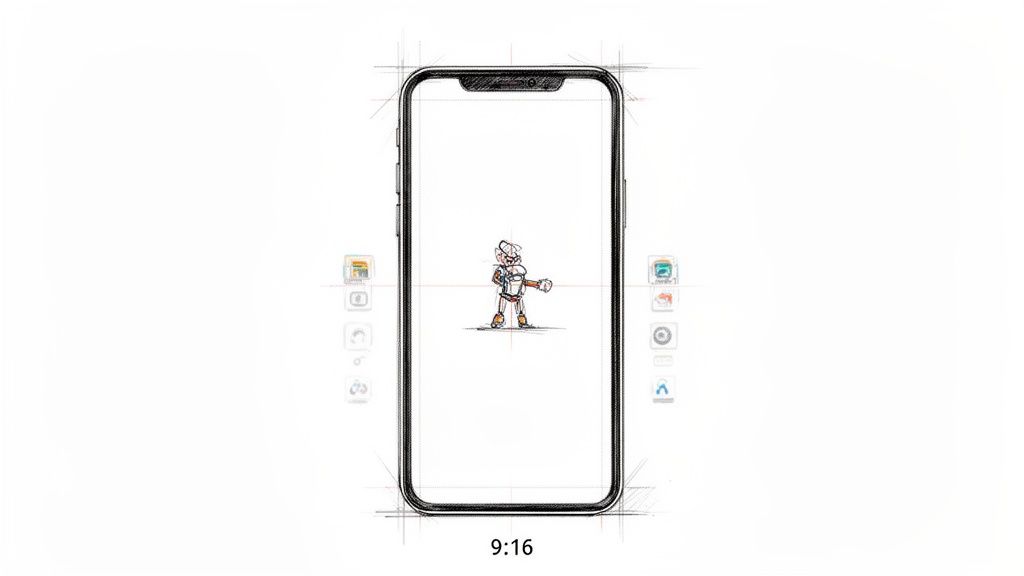
The vast majority of social media is consumed on mobile devices, making vertical video the undisputed king of content. Platforms like TikTok, Instagram Reels, and YouTube Shorts are built around a portrait (9:16 aspect ratio) viewing experience. Failing to create content specifically for this format means you are actively working against the user's natural behavior and the platform's design, resulting in a clunky, unprofessional look that screams "repurposed."
Optimizing for a mobile-first, vertical format isn't just about rotating your camera; it's a complete mindset shift in how you shoot, frame, and edit. This is one of the most impactful social media video tips because it ensures your video occupies the maximum amount of screen real estate, creating a more immersive and engaging experience for the viewer. Properly formatted vertical videos feel native to the platform, which can lead to better engagement and algorithmic favor.
Actionable Strategies for Vertical Video
To create effective vertical video, you must compose your shots with the portrait frame in mind from the very beginning. Simply cropping a horizontal video often results in awkwardly framed subjects and lost context.
- Center Your Subject: Frame the most important visual elements within the center 60% of the screen. This creates a "safe zone," ensuring that platform interface elements like usernames, captions, and like buttons don't cover crucial parts of your video.
- Think in Vertical Layers: Compose your shots with foreground, midground, and background elements that work within a tall frame. Use vertical camera movements, like a tilt up or down, instead of wide horizontal pans that don't translate well.
- Mind the Overlays: Be conscious of where each platform places its UI. For example, avoid placing important text or graphics at the very bottom of an Instagram Reel, where the caption and user info will appear.
- Test on a Real Device: Always preview your final video on an actual smartphone before publishing. What looks good on a large desktop monitor might have readability or framing issues on a smaller mobile screen.
Embracing the vertical format shows your audience that you understand the platform you're on, which builds credibility and helps your content feel more authentic and native. It's a fundamental step toward creating videos that don't just exist on social media but truly thrive there.
3. Use Captions and Text Overlays for Sound-Off Viewing
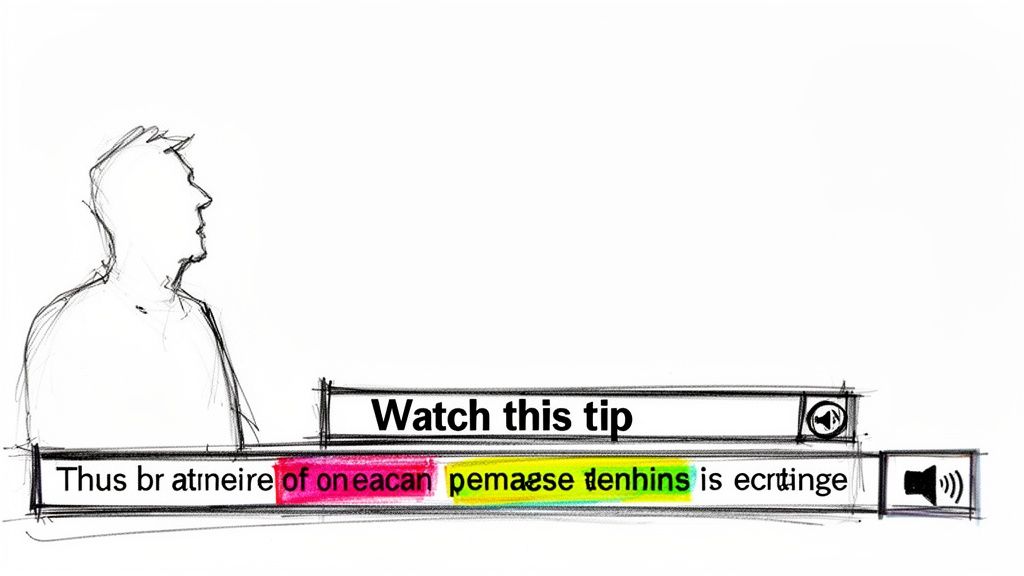
A significant portion of social media video consumption happens with the sound off. Viewers might be in public, at work, or simply prefer a silent browsing experience. Ignoring this behavior means your message is lost on a massive segment of your audience. Captions and text overlays are the solution, making your content accessible and understandable without relying on audio. This practice is crucial for maximizing reach, engagement, and accessibility.
Adding visual text is one of the most impactful social media video tips because it ensures your key points land regardless of the viewing context. It accommodates viewers who are hearing-impaired and those who are multi-tasking, thereby increasing your video's overall watch time and retention rate. Platforms recognize this increased engagement and are more likely to promote your content.
Actionable Strategies for Effective Text
To make your text elements work for you, they need to be clear, strategic, and enhance the viewing experience rather than cluttering it. The goal is to convey information quickly and effectively, even in a silent-first environment.
- Prioritize Readability: Use bold, easy-to-read fonts with high-contrast colors. A common best practice is white text with a black outline or a semi-transparent dark background to ensure it stands out against any video footage.
- Synchronize Text with Speech: Time your captions to appear as the words are spoken. This creates a natural rhythm that's easy to follow. For text overlays that summarize a point, allow them to remain on screen for 2-3 seconds so viewers have adequate time to read.
- Emphasize Key Information: Don't just transcribe everything. Use dynamic text overlays to highlight keywords, punchlines, or critical steps in a tutorial. You can make these words pop with a different color, a larger size, or a simple animation.
- Leverage Native and Third-Party Tools: Most platforms like TikTok and Instagram have built-in auto-captioning features that are fast and effective. For more stylistic control over fonts, colors, and animations, apps like CapCut provide advanced text editing capabilities.
4. Master the Power of Trending Audio and Music
Audio is no longer just a background element; it's a primary driver of discovery on social media. Trending sounds, popular music clips, and viral audio cues act as signals to platform algorithms, telling them your content is current, relevant, and culturally attuned. Using a trending sound on platforms like TikTok and Instagram can dramatically increase your video's reach, as the algorithm often pushes content that participates in a popular audio trend to a wider audience.
Choosing the right sound makes your video feel native to the platform and instantly relatable to viewers who recognize it. This is one of the most powerful social media video tips because it allows creators to "piggyback" on the momentum of an already-viral piece of audio. It's a direct line to tapping into what's currently capturing user attention, whether it's a new song, a funny meme, or a dialogue clip.
Actionable Audio Strategies to Implement
Integrating trending audio requires a balance of speed and strategy. You need to act while a sound is popular without sacrificing your brand's voice or content quality.
- Become a Trend Spotter: Dedicate a few minutes each day to scrolling your platform’s “For You” or “Sounds” tab. Look for audio clips that are appearing frequently but aren't completely saturated yet.
- Pair Trends with Evergreen Content: Don't just copy the trend; adapt it. Use a trending sound as the backdrop for your own unique content, such as a tutorial, a product showcase, or a relatable skit. This gives your video both immediate relevance and long-term value.
- Balance Your Audio Mix: Aim to use trending audio for a portion of your content, perhaps 15-30%, not 100%. This ensures your feed remains original and doesn't rely solely on trends. Use original audio or licensed music to build a distinct brand identity.
- Create Your Own Sound: Don't be afraid to create original audio. A unique voiceover, a catchy jingle, or a remix of a trend can become your signature sound and potentially start a new trend itself.
For those looking to go deeper into platform-specific tactics that leverage trending sounds and short-form video for maximum impact, consider exploring specialized TikTok music promotion strategies. Remember to listen to a sound in its entirety before using it to ensure it aligns with your message and enhances, rather than distracts from, your video.
5. Keep Videos Short and Snappy (15-60 Seconds)
In the world of social media, attention is a currency with a rapidly declining value. Viewers scroll through feeds at lightning speed, making longer videos a significant risk. Keeping your content short and snappy, ideally within the 15-60 second range, is no longer just a trend; it's a strategic necessity. Platforms like TikTok, Instagram Reels, and YouTube Shorts are built around this format, and their algorithms often favor concise content that viewers are more likely to watch to completion.
This brevity forces you to distill your message down to its most potent form, eliminating fluff and delivering value immediately. A well-executed short video respects the viewer's time while maximizing your chances of being seen and shared. Mastering this format is one of the most impactful social media video tips for boosting watch time and completion rates, key metrics that signal to algorithms that your content is engaging and worth promoting.
Actionable Strategies for Concise Storytelling
Creating impactful short-form content requires a ruthless editing mindset. Every single second must serve a purpose, either by advancing the narrative, delivering information, or holding the viewer's attention.
- Front-Load the Value: After your 3-second hook, you have a mere 12 to 57 seconds to deliver the payoff. Get straight to the core message or demonstration without unnecessary build-up.
- Cut Ruthlessly: During the editing process, ask yourself if each frame adds value or momentum. Remove all filler, including long pauses, "ums," and dead air. Use quick cuts of 1-3 seconds to maintain a high-energy pace.
- Structure for Brevity: Use a simple, proven formula. For example, an educational video can follow a "Problem (5s) + Solution (10s) + Call to Action (5s)" structure to deliver a complete message in just 20 seconds.
- Time Your Script: Before filming, read your script aloud at a natural pace. Since average speech is around 130 words per minute, this will give you an accurate estimate of your video's final length. A 30-second video script should be roughly 65 words.
6. Use Strategic Pattern Interrupts and Transitions
A pattern interrupt is a technique used to break a viewer's passive scrolling behavior by introducing an unexpected change in visuals or audio. This sudden shift forces their brain to re-engage and pay active attention, creating the "stopping power" necessary to hold interest on fast-moving social feeds. Mastering this is one of the most effective social media video tips because it directly counters the viewer's instinct to keep scrolling.
In practice, a pattern interrupt can be anything from a quick zoom, a sudden sound effect, or a dramatic change in scenery. The goal is to keep the viewing experience dynamic and unpredictable. This prevents your content from becoming monotonous and encourages viewers to stay locked in, wondering what will happen next. Strategic transitions and cuts are the tools you use to build this dynamic energy and maintain momentum throughout your video.

Actionable Strategies for Pattern Interrupts
To effectively stop the scroll, your interruptions must feel intentional rather than jarring or confusing. The key is to sync these moments with the rhythm and narrative of your video, using them to emphasize key points or build excitement.
- Sync Transitions to Audio: Use quick cuts, zooms, or visual effects that land precisely on the beat of a trending song or the punchline of your voiceover. This makes the edit feel satisfying and professional.
- Use Jump Cuts for Pacing: Compress time and maintain high energy by using jump cuts. This technique is perfect for tutorials or storytelling, allowing you to show multiple steps or angles quickly without boring the viewer.
- Implement Speed Ramps: Create a dramatic effect by rapidly speeding up or slowing down footage. This is highly effective for showing a "before and after" transformation or highlighting a key moment in an action sequence.
- Create Custom Transitions: While presets are easy, creating your own unique transitions can become part of your brand style. For creators looking to elevate their visual effects, you can get insights on how to use motion graphics for social media on our blog.
When used correctly, pattern interrupts and strategic transitions transform a static video into an engaging experience. Limit yourself to one or two major interrupts per 15 seconds to ensure they have maximum impact without overwhelming the viewer. The goal is to surprise and delight, not to disorient.
7. Create Authentic and Relatable Content Over Polished Perfection
While high production value has its place, today's social media landscape overwhelmingly favors authenticity. Audiences, especially on platforms like TikTok and Instagram, are more likely to connect with genuine, relatable moments than with sterile, overly produced corporate videos. This trend reflects a deep-seated desire for content that feels real, trustworthy, and human, moving away from the unattainable perfection that once dominated feeds.
Prioritizing authenticity is one of the most impactful social media video tips because it builds trust and community. When viewers see the real person or brand behind the screen, including the imperfections, they feel a stronger connection. This approach makes your content feel less like an advertisement and more like a conversation, which is critical for fostering long-term engagement and loyalty.
Actionable Strategies for Authentic Content
Embracing imperfection doesn't mean sacrificing quality; it means being intentional about what you show. It's about letting your audience see the process, not just the polished final product.
- Show the Process, Not Just the Result: Film the messy middle. Include clips of failed attempts, retakes, or moments where you had to problem-solve. This behind-the-scenes perspective is both educational and highly relatable.
- Embrace Natural Settings: You don't always need a perfect studio setup. Filming with natural light in your actual workspace, home, or office can make your content feel more grounded and accessible.
- Leave in Minor "Flaws": Don't over-edit to remove every slight stutter, pause, or laugh. These small imperfections are what make you human and can make your delivery feel more conversational and genuine.
- Feature Unscripted Moments: Capture candid moments with your team, share a genuine struggle you overcame, or simply talk to the camera selfie-style without a rigid script. This raw format is native to platforms like TikTok and Reels.
By focusing on relatable narratives over flawless execution, you invite viewers into your world. A small business owner appearing on camera without professional makeup or a creator sharing the frustrating reality of a project resonates far more deeply than a flawless, impersonal video ever could.
8. Optimize Posting Time and Consistency Strategy
Creating a fantastic video is only half the battle; ensuring it reaches the right audience at the right time is equally crucial. Optimizing your posting schedule and maintaining a consistent cadence are powerful strategies that work in tandem to maximize your video's reach and engagement. Posting when your audience is most active gives your content an immediate visibility boost, while a consistent schedule trains both the algorithm and your viewers to anticipate and prioritize your content.
This approach is fundamental because it leverages audience behavior and platform mechanics. Algorithms on platforms like TikTok and Instagram favor accounts that post regularly and reward content that gets strong initial engagement. By strategically timing your posts, you give your videos the best possible launchpad for success. This is one of the most impactful social media video tips for turning sporadic views into predictable growth and building a loyal community.
Actionable Scheduling and Consistency Tips
To master timing and frequency, you need to be both data-driven and realistic. Don't sacrifice quality for the sake of quantity, but aim to establish a reliable rhythm your audience can count on.
- Use Platform Analytics: Dive into your native analytics (like Instagram Insights or TikTok Analytics) to identify the specific days and hours your followers are most active. This is the lowest-hanging fruit for immediate engagement improvement.
- Establish a Baseline: If you're just starting, aim for a manageable and consistent schedule, such as posting 3-4 times per week. It's better to post three high-quality videos every week than seven mediocre ones.
- Test and Analyze: Don't just set it and forget it. Experiment by posting at different peak times identified in your analytics and compare the engagement metrics (views, likes, comments) within the first few hours.
- Build an Audience Habit: Once you find a rhythm, communicate it. Mention your posting schedule in your bio or in your videos to let your audience know when to expect new content from you.
- Schedule in Advance: Use platform-native scheduling tools or third-party apps to batch-create and schedule your videos. This ensures consistency even during busy periods and helps you maintain your content calendar without stress.
9. Leverage User-Generated Content (UGC) and Testimonials
User-generated content (UGC) is any form of content, such as videos, created by your audience, customers, or community rather than your brand. Leveraging UGC and video testimonials is a powerful strategy that builds immense trust and social proof, often outperforming polished, brand-created content because it feels more authentic and relatable to viewers. This approach transforms your customers into a network of brand advocates, extending your reach organically.
On platforms like TikTok and Instagram, algorithms often favor content that appears native and genuine, making UGC a goldmine for engagement. Instead of just telling your audience how great your product is, you’re showing them real people who love it. This is one of the most cost-effective social media video tips because it provides a steady stream of authentic content without the high production costs, directly fueling your marketing efforts with social proof.
Actionable UGC Strategies to Implement
To effectively harness the power of your community, you need to create a simple and rewarding system for them to share their content. Make it easy for them to become part of your brand’s story.
- Create a Branded Hashtag: Launch a clear, memorable hashtag and actively encourage your audience to use it when they post videos featuring your product or service. Promote it in your bio, on your packaging, and in your video captions.
- Offer Incentives: Motivate participation by offering rewards for the best submissions. This could be a feature on your official page, a discount on their next purchase, or entry into a contest. Recognition is a powerful motivator.
- Always Get Permission and Give Credit: Before reposting any user's content, always ask for their explicit permission to use it. When you do share it, be sure to tag and credit the original creator. This builds goodwill and encourages more submissions.
- Set Clear Guidelines: To ensure the content aligns with your brand, create simple submission guidelines. Specify desired video quality, style, or key talking points without stifling creativity.
By regularly featuring UGC, you build a vibrant community that feels seen and valued, creating a flywheel of engagement and advocacy. For a deeper dive into building an effective program, you can learn more about developing a user-generated content strategy on our blog.
10. Use Data Analytics to Inform Content Decisions
Relying on intuition alone is a risky social media strategy. The most successful creators and brands use data to guide their content, transforming guesswork into a predictable process. By analyzing key performance metrics, you can understand exactly what your audience responds to, what they ignore, and what makes them engage. This data-driven feedback loop is essential for refining your approach and consistently creating high-impact videos.
Analytics reveal the story behind your content's performance. Metrics like watch time, audience retention, and engagement rate are not just numbers; they are direct insights into viewer behavior. Mastering this aspect is one of the most powerful social media video tips because it allows you to stop creating content blindly and start making strategic decisions that are proven to work for your specific audience. Instead of hoping a video performs well, you'll know why it performs well.
Actionable Analytics Strategies to Implement
Turning raw data into actionable insights requires a systematic approach. Don't get overwhelmed by all the available metrics. Instead, focus on a few key indicators that directly inform your content creation process and help you replicate success.
- Identify Your Core Metrics: Track 3-4 key metrics for every video, such as completion rate, shares, saves, and engagement rate. These metrics often tell you more about content quality and audience value than simple view counts.
- Analyze Your Top Performers: Look at the top 10% of your videos. What do they have in common? Identify patterns in topics, formats (e.g., tutorials vs. behind-the-scenes), hooks, or editing styles that you can apply to future content.
- Pinpoint Viewer Drop-Off: Use platform-specific tools, like YouTube's Audience Retention graph, to see exactly when viewers lose interest. If you notice a consistent drop-off at the 45-second mark, you know to make future videos shorter or add a pattern interrupt right before that point.
- Conduct Simple A/B Tests: Create two similar videos but change one variable, such as the hook, the call-to-action, or the background music. Post them and compare the analytics to see which version performs better, giving you concrete evidence to guide your creative choices.
Top 10 Social Video Tips Comparison
| Item | Implementation Complexity 🔄 | Resource & Time ⚡ | Expected Outcomes 📊 | Ideal Use Cases 💡 | Key Advantages ⭐ |
|---|---|---|---|---|---|
| Hook Viewers in the First 3 Seconds | Medium — planning, multiple openings | Low–Medium — shoot/test openings | Increased completion & reach; fewer drop-offs | Short-form intros, demos, before/after reveals | ⭐ Immediate attention capture; boosts algorithm signals |
| Optimize for Mobile-First Vertical Video Format | Low–Medium — reframing and shoot technique | Medium — reshoots and safe-zone checks | Higher engagement; full-screen viewership | TikTok/Reels/Shorts, product demos for phones | ⭐ Native format; better viewport usage |
| Use Captions and Text Overlays for Sound-Off Viewing | Medium — captioning & placement work | Medium–High — time to sync/correct captions | Improved retention, accessibility, watch time | Tutorials, news, crowded/noisy viewing contexts | ⭐ Reaches muted viewers; accessibility compliance |
| Master the Power of Trending Audio and Music | Low — select/monitor audio; Medium for remix/licensing | Low — quick to apply; ongoing trend monitoring | Short-term discoverability boost and shareability | Viral challenges, relatable cultural moments | ⭐ Algorithmic lift; heightened relatability |
| Keep Videos Short and Snappy (15–60s) | High — ruthless editing and pacing | Medium — editing time per short | Higher completion rates; easier repurposing | Quick tutorials, product demos, before/after clips | ⭐ Better completion & cross-platform fit |
| Use Strategic Pattern Interrupts and Transitions | High — skillful timing & custom transitions | Medium–High — create and test transitions | Increased stopping power and engagement spikes | Competitive feeds, attention-grab openings | ⭐ Strong feed-stopping effect when used sparingly |
| Create Authentic and Relatable Content Over Polished Perfection | Low — looser production approach | Low — faster, lower-cost creation | Stronger emotional engagement and comments | Behind-the-scenes, personal stories, BTS | ⭐ Builds trust and community; low production barrier |
| Optimize Posting Time and Consistency Strategy | Medium — analytics review and scheduling | Medium — maintain calendar & tests | Improved initial engagement; steady audience growth | Growth strategies, regular series, launches | ⭐ Consistency boosts reach; trains audience habits |
| Leverage User-Generated Content (UGC) and Testimonials | Medium — guide submissions and manage rights | Low–Medium — incentives and curation | Higher trust, extended reach, ongoing content stream | Product proof, social proof campaigns, challenges | ⭐ Authentic advocacy; cost-effective content pipeline |
| Use Data Analytics to Inform Content Decisions | Medium–High — tracking, analysis skills | Medium–High — reporting and experiments | More efficient strategy; higher ROI on content | Scaling strategies, performance optimization | ⭐ Data-driven decisions reduce guesswork and improve results |
Putting It All Together: Your Blueprint for High-Impact Video
The journey from a simple idea to a high-performing social media video can seem daunting, but as we've explored, success isn't about a single magic bullet. It's about a strategic, repeatable process built on a foundation of proven principles. The social media landscape is no longer a place where you can just post and pray; it's a sophisticated ecosystem that rewards intention, creativity, and a deep understanding of audience behavior. By mastering the ten core concepts we've detailed, you are no longer guessing what works. You are building a powerful framework for creating content that consistently stops the scroll, engages viewers, and drives meaningful results.
Think of each of these social media video tips not as a separate rule, but as an interconnected part of a larger machine. Your irresistible 3-second hook is amplified by the right vertical framing. Your strategic pattern interrupts are made more effective with perfectly timed, trending audio. Your authentic, relatable style is made accessible to everyone through clear, bold captions. Each element supports the others, creating a cohesive and compelling viewing experience that feels both professional and personal.
From Theory to Action: Your Next Steps
Information is only powerful when it's put into practice. The key takeaway from this extensive guide is that small, consistent optimizations lead to massive growth over time. Don't try to implement everything at once. Instead, adopt a focused, iterative approach to improvement.
Your immediate action plan should look like this:
- Audit Your Current Content: Look at your last five videos. Where is the biggest opportunity for improvement? Is your hook weak? Are your videos too long? Are you failing to use captions? Identify one or two key areas to focus on first.
- Pick Your "Big Three": Choose three tips from this list to prioritize for the next 30 days. For example, you might decide to focus exclusively on (1) perfecting your 3-second hooks, (2) adding dynamic captions to every video, and (3) experimenting with one new pattern interrupt technique each week.
- Test and Measure: The "post and ghost" strategy is dead. Commit to checking your analytics 24-48 hours after posting. Look at watch time, audience retention, and engagement rates. What do the numbers tell you about your new approach? Let the data be your guide for the next piece of content.
The most successful creators aren't just artists; they are scientists. They form a hypothesis (e.g., "A question-based hook will perform better than a statement"), run an experiment (create the video), and analyze the results. This cycle of creating, testing, and iterating is the true engine of sustainable social media growth.
The Power of Professional Polish, Made Simple
As you begin to implement these strategies, you'll also want to elevate your production value without adding complexity to your workflow. Authenticity is crucial, but a clean, professional look can significantly boost your credibility and help your message stand out. This is where mastering your visual presentation becomes a game-changer. Removing a cluttered background or placing yourself in a more relevant setting can instantly transform an average video into a high-impact piece of content.
Ultimately, the most impactful social media video tips are those that you can consistently apply. Creating a sustainable and efficient workflow is just as important as the creative ideas themselves. By building a system that incorporates these fundamental principles, from the initial hook to the final analytic review, you are paving the way for predictable success. The path to viral content and a dedicated community isn't a mystery; it's a blueprint. You now have it in your hands. Go create.
Ready to instantly elevate your production value without complex editing software? VideoBGRemover uses powerful AI to remove or replace your video background with a single click, giving you that clean, professional look essential for grabbing attention. Try it for free and see how simple it is to create studio-quality content from anywhere at VideoBGRemover.
Tagged with
Ready to Remove Your Video Background?
See a free preview before you buy.
No credit card required • Free preview on every video